51
Timing of replacing the light source
Please install a new light source or consult your dealer when the Light source indicator
light lights up. An old light source may cause a malfunction in the projector and in some
instances the light source may explode.
CAUTION
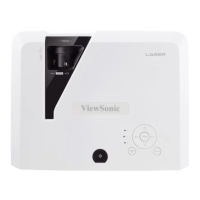
The Light source indicator light and Temperature indicator light will light up if the light source
becomes too hot. Turn the power off and let the projector cool for 45 minutes. If the Light
source indicator light or Temperature indicator light still lights up after turning the power back
on, please contact your dealer. See "Indicators" on page 52 for details.
Replacing the light source
Turn the power off and disconnect the projector from the power outlet. Please contact
qualified service personnel for changing the light source.



 To Next Page