37
Select the aspect ratio
The “Aspect Ratio” is the ratio of the image width against image height. It is 4:3 for most
analog TVs and computers, and 16:9 for digital TVs and DVDs. With the emergence of
digital signal processing, digital display equipment such as projectors can dynamically
stretch the images and display the outputted images with a ratio different from that of the
inputted image signals. Change projected image aspect ratio (for any signal source):
1. Connect to the signal source, then press the [Setting] key and enter the menu to
open the Advanced > Aspect Ratio menu.
2. Press / and select an aspect ratio matching the video signal format that meets
your display requirements.
About the aspect ratio
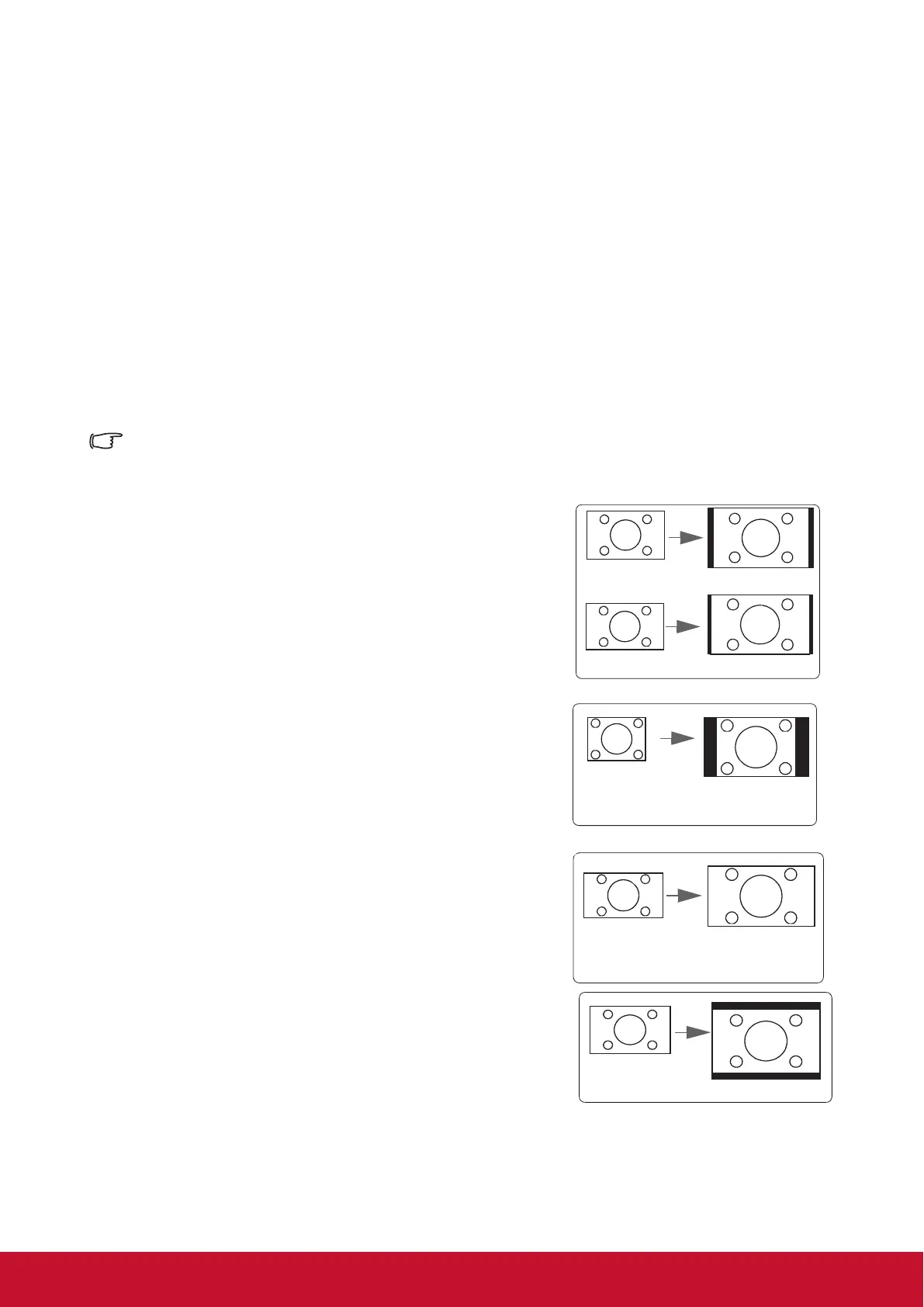
Choose how to make the screen suitable for the screen:
1. Auto: Proportional scaling of an image to t the
projector’s natural resolution in its horizontal
width. This is suitable where the incoming
image is neither in 4:3 nor 16:9 aspect ratios
but where you want to make most use of the
screen without altering the image’s aspect
ratio.
Image 16:10
Image 16:9
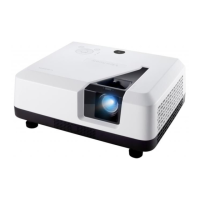
2. 4:3: Scales a picture so that it is displayed in the
center of the screen with a 4:3 aspect ratio.
This is most suitable for 4:3 pictures such
as those for computer monitors, standard
denition TV, and 4:3 aspect DVD movies
as these can be displayed without aspect
alteration.
Image 4:3
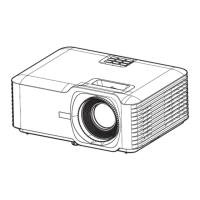
3. 16:9: Scales a picture so that it is displayed in
the center of the screen with a 16:9 aspect
ratio. This is most suitable for images which
are already in a 16:9 aspect such as high
denition TV because as these can be
displayed without aspect alteration.
Image 16:9
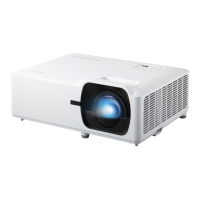
4. 16:10: Scales an image in ratio so that it is
displayed in the center of the screen with a
16:10 aspect ratio. This is most suitable for
images which are already in a 16:10 aspect
as it displays them with out aspect alteration.
Image 16:10
5. Native: The image is projected as its original resolution, and resized to t within the
display area. For input signals with lower resolutions, the projected image
will display smaller than if resized to full screen.


 To Next Page