EasyManua.ls Logo

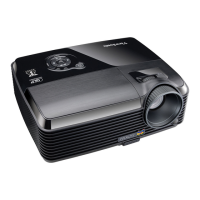
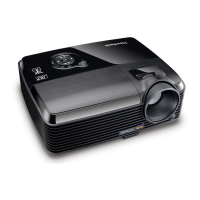
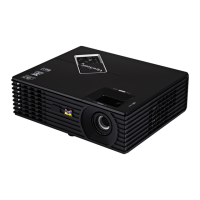
ViewSonic PJD2121 - User Manual

ViewSonic PJD2121
36 pages
Print Icon
To Next Page IconTo Next Page
Loading...
Model No.: VS12617
- User Guide
- Guide de l’utilisateur
- Bedienungsanleitung
- Guía del usuario
- Руководство пользователя
- 使用手冊 (繁體)
- 使用手冊 (簡體)
ViewSonic
®
PJD2121
SVGA DLP Projector

Other manuals for ViewSonic PJD2121

Questions and Answers

  • J
    Jesse DiazAug 11, 2025
    What to do if my ViewSonic PJD2121 Projector has no picture?
    • J
      Jesus AndersonAug 12, 2025
      If your ViewSonic Projector isn't displaying a picture, here are a few things to check: * Ensure the video source is turned on and the signal cable is correctly connected. * Verify the projector is correctly connected to the input signal device. * Select the correct input signal using the SOURCE key on the projector or remote. * Make sure the lens cover is open.
  • L
    Luis GuerreroAug 19, 2025
    Why won't my ViewSonic PJD2121 Projector turn on?
    • C
      Cynthia MillerSep 12, 2025
      If your ViewSonic Projector isn't turning on, check these potential causes: * Ensure the power cord is securely plugged into both the projector's AC inlet and the power outlet. * If you've recently turned it off, wait until the cooling down process is complete before attempting to turn it on again.
  • A
    Alan AriasAug 26, 2025
    How to fix a blurred image on my ViewSonic PJD2121 Projector?
    • C
      Catherine MoralesAug 26, 2025
      If the image on your ViewSonic Projector is blurred, try these steps: 1. Adjust the focus of the lens using the focus ring. 2. Adjust the projection angle, direction, and height of the projector to properly align it with the screen. 3. Ensure the lens cover is open.
  • T
    Tiffany HolmesSep 2, 2025
    What to do if the ViewSonic Projector remote control does not work?
    • H
      Heidi EdwardsSep 2, 2025
      If the remote control for your ViewSonic Projector isn't working, try these solutions: * Replace the battery with a new one. * Remove any obstacles between the remote control and the projector. * Ensure you are within 6 meters of the projector.

ViewSonic PJD2121 Specifications

General IconGeneral
BrandViewSonic
ModelPJD2121
CategoryProjector
LanguageEnglish

Related product manuals