EasyManua.ls Logo

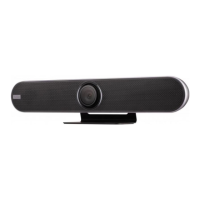
ViewSonic VB-CAM-201 - User Manual

ViewSonic VB-CAM-201
58 pages
Print Icon
To Next Page IconTo Next Page
Loading...
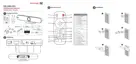
VB-CAM-201
User Guide
Model No. VS18518
P/N: VB-CAM-201
IMPORTANT: Please read this User Guide to obtain important information on installing and using your product in
a safe manner, as well as registering your product for future service. Warranty information contained in this User
Guide will describe your limited coverage from ViewSonic® Corporation, which is also found on our web site at
http://www.viewsonic.com in English, or in specific languages using the Regional selection box in the upper right
corner of our website.

Other manuals for ViewSonic VB-CAM-201

Questions and Answers

  • M
    Michael JohnsonAug 9, 2025
    What to do if my ViewSonic IP Camera has no power?
    • S
      Stephen BrownAug 9, 2025
      If your ViewSonic IP Camera isn't powering on, ensure the device is turned on by pressing the Power button on the remote control. Also, verify that the power cord is properly and securely connected to both the device and the power outlet. To confirm the outlet is working, plug another electrical device into it.
  • S
    sherri73Aug 23, 2025
    Why is the video image shaking on my ViewSonic VB-CAM-201?
    • J
      Joshua HudsonAug 23, 2025
      If the video image displayed by your ViewSonic IP Camera is shaking, make sure the camera is securely installed and stable. Check the surrounding area for any equipment that might be causing vibrations.

ViewSonic VB-CAM-201 Specifications

General IconGeneral
BrandViewSonic
ModelVB-CAM-201
CategoryIP Camera
LanguageEnglish

Related product manuals