EasyManua.ls Logo

ViewSonic VG2757V-2K - User Manual

ViewSonic VG2757V-2K
75 pages
Print Icon
To Next Page IconTo Next Page
Loading...
IMPORTANT: Please read this User Guide to obtain important information on installing and using your product in
a safe manner, as well as registering your product for future service. Warranty information contained in this User
Guide will describe your limited coverage from ViewSonic® Corporation, which is also found on our web site at
http://www.viewsonic.com in English, or in specific languages using the Regional selection box of our website.
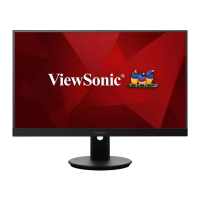
VG2757V-2K
Display
User Guide
Model No. VS19736
P/N: VG2757V-2K

Table of Contents

Other manuals for ViewSonic VG2757V-2K

Questions and Answers

  • C
    Carolyn MartinezSep 10, 2025
    How to fix ViewSonic Monitor when it has no power?
    • D
      Diane StokesSep 12, 2025
      If your ViewSonic monitor isn't powering on, ensure it's turned on using the power button. Also, check that the power cord is securely connected to both the monitor and the power outlet. To verify the outlet is working, plug another electrical device into it.
  • D
    Donald GrossSep 12, 2025
    Why are my USB devices not working when connected to my ViewSonic VG2757V-2K?
    • J
      juliebellSep 12, 2025
      If USB devices connected to your ViewSonic monitor aren't working, ensure the USB cable is properly connected. Try changing to another USB port if available. Some USB devices might require more power, so connect them directly to the computer.
  • S
    steven99Sep 14, 2025
    What to do if ViewSonic Monitor control panel keys do not work?
    • B
      Benjamin JohnsonSep 14, 2025
      If the control panel keys on your ViewSonic monitor do not work, ensure that you press only one key at a time. If the problem persists, try restarting the computer.
  • D
    dennisvalenzuelaSep 16, 2025
    Why does my ViewSonic Monitor screen appear yellow?
    • D
      Deborah KennedySep 16, 2025
      If your ViewSonic monitor screen appears yellow, make sure the “Blue Light Filter” is turned Off.

ViewSonic VG2757V-2K Specifications

General IconGeneral
Screen Size27 inches
Resolution2560 x 1440
Panel TypeIPS
Refresh Rate75 Hz
Contrast Ratio1000:1
Dynamic Contrast Ratio20M:1
Response Time5ms (GtG)
VESA Mount100 x 100 mm
Height AdjustmentYes
PivotYes
Color Gamut99% sRGB
Tilt AdjustmentYes
Swivel AdjustmentYes
Aspect Ratio16:9
Brightness350 cd/m²
ConnectivityHDMI, DisplayPort, USB-C
Built-in Speakers2W x2
Viewing Angle178° horizontal / 178° vertical

Related product manuals