39
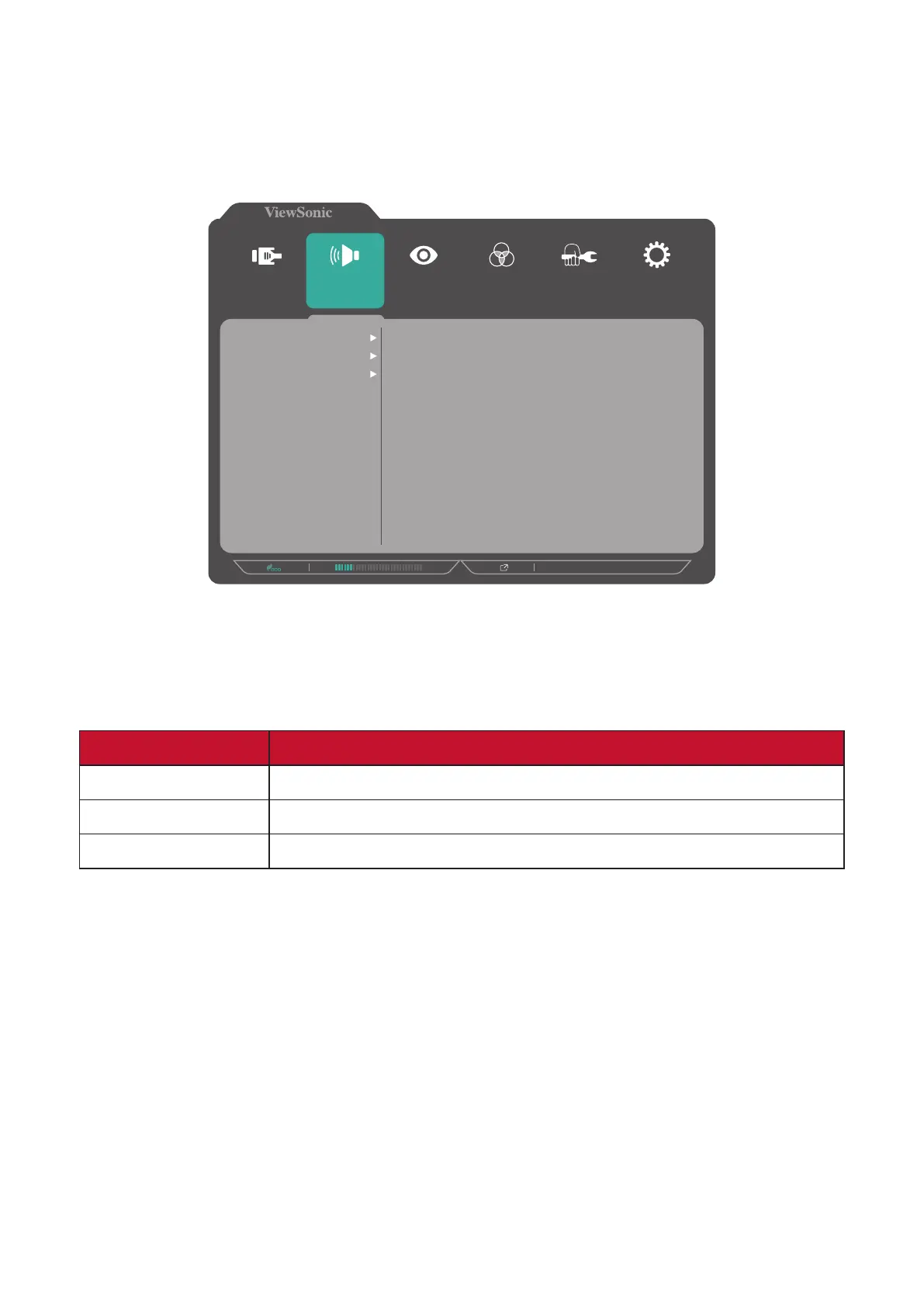
Audio/Mic
1. Press the 5 key to display the OSD Menu.
2. Press the 1 or 2 key to select Audio/Mic. Then press the 3 key to enter the
Audio/Mic menu.
1920 X 1080 @ 60Hz
Setup Menu
Color Adjust ViewMode
Manual Image
Adjust
Input
Select
Audio/Mic
Volume
Speaker Mute
Microphone Mute
3. Press the 1 or 2 key to select the menu opon. Then press the 3 key to enter its
sub-menu.
4. Press the 1 or 2 key to adjust/select the seng. Then press the 3 key to conrm
(if applicable).
Menu Opon Descripon
Volume Adjust the volume level.
Speaker Mute Enable this opon to temporarily turn o the speaker.
Microphone Mute Enable this opon to temporarily turn o the microphone.








 To Next Page