40
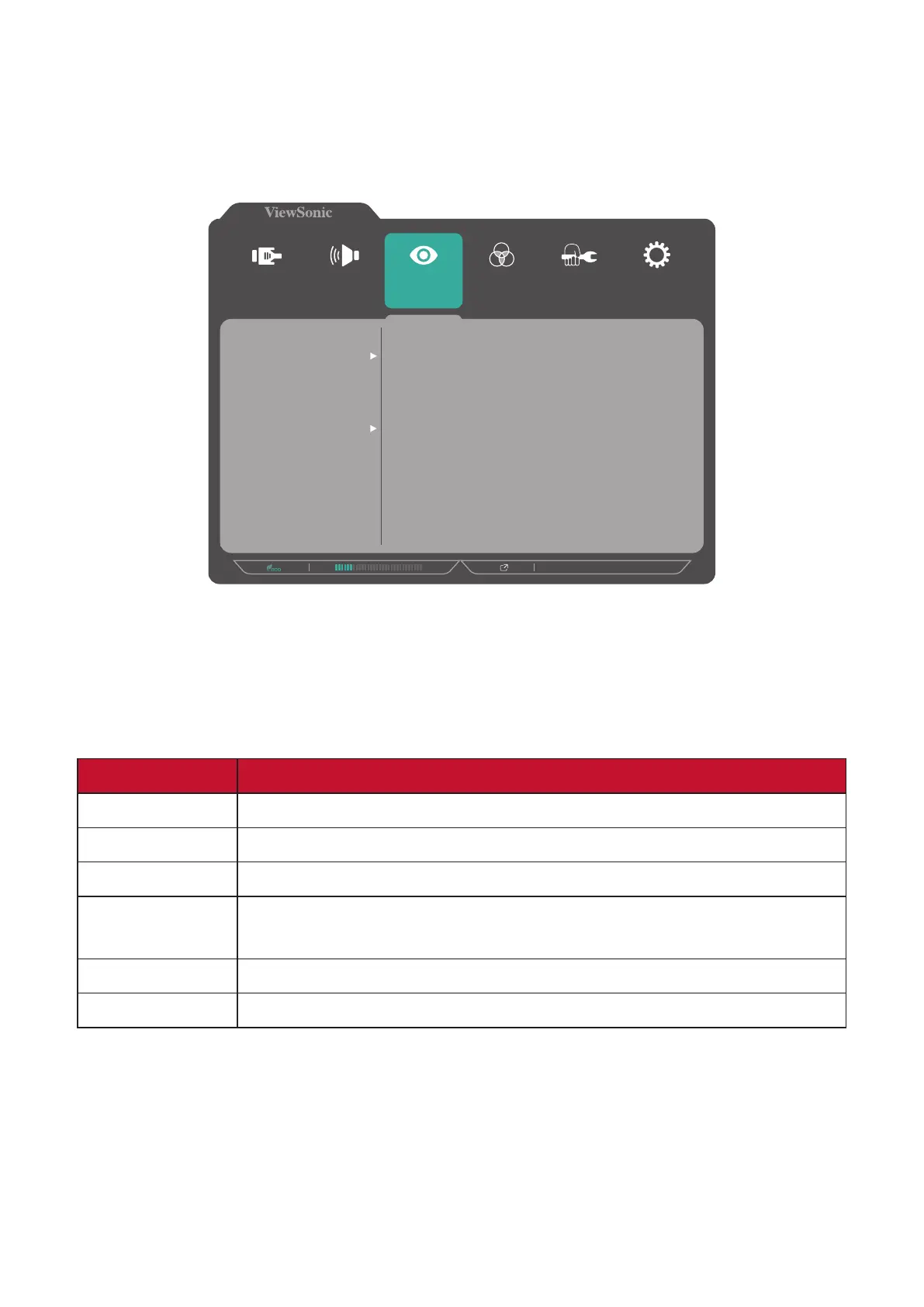
ViewMode Menu
1. Press the 5 key to display the OSD Menu.
2. Press the 1 or 2 key to select ViewMode. Then press the 3 key to enter the
ViewMode menu.
1920 X 1080 @ 60Hz
Setup Menu
Color Adjust ViewMode
Manual Image
Adjust
Input
Select
Audio/Mic
Off
Office
Movie
MAC
Mono
Game
3. Press the 1 or 2 key to select the seng. Then press the 3 key to conrm the
selecon.
NOTE: Some sub-menu opons may have another sub-menu. To enter the
respecve sub-menu, press the 3 key. Follow the key guide that appears
on the boom of the screen to select the opon or make adjustments.
Menu Opon Descripon
O Disable the funcon.
Oce Select this opon for oce applicaons.
Movie Select this opon for watching movies.
MAC
Select this opon when connecng the monitor to Mac
computers.
Mono Select this opon for monochrome.
Game Select this opon for playing games.








 To Next Page