EasyManua.ls Logo

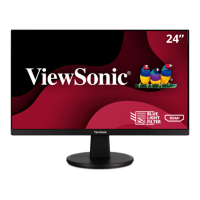
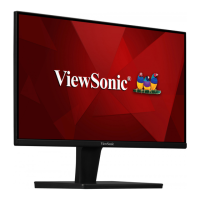
ViewSonic VS18453 - User Manual

ViewSonic VS18453
46 pages
Print Icon
To Next Page IconTo Next Page
Loading...
VX3219-PC-mhd
Display
User Guide
Model No. VS18453
P/N: VX3219-PC-MHD
IMPORTANT: Please read this User Guide to obtain important information on installing and using your product in
a safe manner, as well as registering your product for future service. Warranty information contained in this User
Guide will describe your limited coverage from ViewSonic® Corporation, which is also found on our web site at
http://www.viewsonic.com in English, or in specific languages using the Regional selection box in the upper right
corner of our website. “Antes de operar su equipo lea cu idadosamente las instrucciones en este manual”


Questions and Answers

  • K
    Kimberly HerringSep 13, 2025
    What to do if ViewSonic VS18453 control panel keys do not work?
    • M
      Mary CooperSep 13, 2025
      If the control panel keys on your ViewSonic monitor do not work, press only one key at a time. You can also try restarting the computer.
  • D
    David LangSep 12, 2025
    Why is the screen on my ViewSonic VS18453 Monitor yellow?
    • M
      Mary BrooksSep 12, 2025
      If the screen on your ViewSonic monitor appears yellow, make sure the “Blue Light Filter” is Off.
  • A
    Audrey PenaSep 12, 2025
    Why are some OSD menus not selectable on my ViewSonic VS18453?
    • B
      bonnieclarkSep 12, 2025
      If some menus aren’t selectable in the OSD on your ViewSonic monitor, try adjusting the ViewMode or the input source. If that doesn't work, reset the monitor to factory settings.
  • C
    catherine80Sep 10, 2025
    What to do if the OSD Menu does not appear on ViewSonic Monitor?
    • J
      Jennifer GlassSep 10, 2025
      If the OSD Menu does not appear on your ViewSonic monitor, check whether the OSD Menu is locked. You can also try turning off the monitor, unplugging the power cord, plugging it back in, and then turning on the monitor. Resetting the monitor to factory settings might also help.
  • T
    Thomas GarciaSep 9, 2025
    How to troubleshoot no audio output on ViewSonic VS18453 Monitor?
    • L
      Lori PopeSep 9, 2025
      If you have no audio output on your ViewSonic monitor, and are using headphones, ensure the mini stereo jack is connected. Also, make sure the volume is not muted, nor set to 0. Check the Audio Input setting as well.
  • A
    Angela TranSep 8, 2025
    What to do if ViewSonic VS18453 Monitor screen image cuts in and out?
    • M
      Mrs. Lisa LarsonSep 8, 2025
      If your ViewSonic monitor's screen image cuts in and out, ensure the correct input source is selected. Check the video cable connector for bent or broken pins, as these can cause an improper connection. Also, make sure the video cable connecting the monitor to the computer is properly and securely connected.
  • L
    Lauren WattsAug 23, 2025
    How to turn on ViewSonic VS18453?
    • A
      Angela RoseAug 23, 2025
      First, ensure the monitor is turned on by pressing the Power button. Then, check that the power cord is properly and securely connected to both the monitor and the power outlet. To verify the outlet is supplying power, plug another electrical device into it.
  • T
    Travis JonesSep 6, 2025
    How to fix a screen image that is too light or dark on a ViewSonic VS18453 Monitor?
    • Y
      youngjosephSep 6, 2025
      Adjust the brightness and contrast settings using the OSD Menu. If that doesn't work, try resetting the monitor to its factory settings.
  • J
    Jonathan VillaSep 5, 2025
    Why does my ViewSonic VS18453 Monitor have wrong or abnormal colors?
    • T
      Tracy SaundersSep 5, 2025
      If colors like red, green, or blue are missing, check the video cable to ensure it is properly and securely connected, as loose or broken pins in the cable connector can cause this issue. You can also try connecting the monitor to another computer to see if the issue persists.
  • W
    William GarciaSep 4, 2025
    What to do if the screen image on my ViewSonic Monitor cuts in and out?
    • I
      isantosSep 4, 2025
      First, make sure the correct input source is selected. Check the video cable connector for bent or broken pins. Also, ensure the video cable connecting the monitor to the computer is properly and securely connected.

ViewSonic VS18453 Specifications

General IconGeneral
Screen Size27 inches
Panel TypeIPS
Brightness250 cd/m²
Contrast Ratio1000:1
Response Time5 ms
Aspect Ratio16:9
ConnectivityVGA, HDMI
Viewing Angle178° horizontal, 178° vertical
Resolution1920 x 1080 (Full HD)

Related product manuals