EasyManua.ls Logo

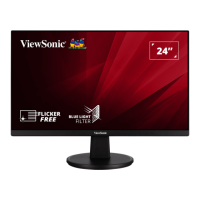
ViewSonic VS2447-mh - User Manual

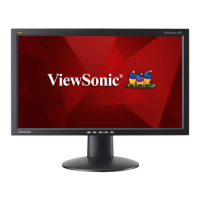
ViewSonic VS2447-mh
47 pages
Print Icon
To Next Page IconTo Next Page
Loading...
VS2447-mh
Display
User Guide
Model No. VS18522
P/N: VS2447-MH
IMPORTANT: Please read this User Guide to obtain important information on installing and using your product in
a safe manner, as well as registering your product for future service. Warranty information contained in this User
Guide will describe your limited coverage from ViewSonic® Corporation, which is also found on our web site at
http://www.viewsonic.com in English, or in specific languages using the Regional selection box in the upper right
corner of our website.

Questions and Answers

  • S
    sthomasSep 1, 2025
    What to do if screen image cuts in and out on ViewSonic Monitor?
    • A
      Arthur CardenasSep 1, 2025
      If the screen image on your ViewSonic monitor cuts in and out, make sure the correct input source is selected. Check for bent or broken pins in the video cable connector, as bent or broken pins in the video cable connector could cause an improper connection. Also, ensure the video cable connecting the monitor to the computer is properly and securely connected.
  • H
    Heather LongSep 12, 2025
    Why some menus aren’t selectable in the OSD of ViewSonic VS2447-mh?
    • K
      Karla MillerSep 12, 2025
      If some menus aren’t selectable in the OSD on your ViewSonic monitor, try adjusting the ViewMode or the input source. If that doesn't work, reset the monitor to factory settings.
  • C
    christinastephensonAug 30, 2025
    How to fix blurred screen image on ViewSonic VS2447-mh Monitor?
    • K
      Kevin CraneAug 30, 2025
      To resolve a blurred screen image on your ViewSonic monitor, adjust the resolution to the correct Aspect Ratio. If the issue persists, reset the monitor to its factory settings.
  • J
    James JohnsonSep 14, 2025
    How to fix ViewSonic VS2447-mh Monitor OSD Menu when it does not appear?
    • T
      Tracy SmithSep 14, 2025
      If the OSD Menu does not appear on the screen or the OSD controls are inaccessible on your ViewSonic monitor, check whether the OSD Menu is locked. If yes, press and hold the 3 and 5 key for 10 seconds. You can also try turning off the monitor, unplugging the power cord, plugging it back in, and then turning on the monitor. Alternatively, reset the monitor to factory settings.
  • C
    Christopher AllenSep 13, 2025
    What to do if USB devices connected to ViewSonic VS2447-mh Monitor do not work?
    • J
      Jessica LeeSep 13, 2025
      If USB devices connected to your ViewSonic monitor do not work, ensure the USB cable is connected properly. Try changing to another USB port, if available. Note that some USB devices require a higher electric current, so connect the device directly to the computer.
  • L
    Leslie LopezSep 18, 2025
    How to fix some menus that aren’t selectable in the OSD on ViewSonic VS2447-mh?
    • Z
      Zachary OchoaSep 18, 2025
      To resolve menus that aren’t selectable in the OSD on your ViewSonic monitor, adjust the ViewMode or the input source. You can also reset the monitor to factory settings.
  • A
    Anthony BrownSep 23, 2025
    Why are USB devices not working on my ViewSonic VS2447-mh?
    • J
      Jessica MorrisSep 23, 2025
      If USB devices connected to your ViewSonic monitor do not work, make sure the USB cable is connected properly. Try changing to another USB port, if applicable. Note that some USB devices require a higher electric current, so connect the device directly to the computer in such cases.
  • L
    longbrianAug 27, 2025
    How to fix a ViewSonic VS2447-mh Monitor that won't turn on?
    • E
      Erika AndersonAug 27, 2025
      If your ViewSonic monitor has no power, ensure you have turned it on by pressing the Power button. Also, make sure the power cord is properly and securely connected to both the monitor and the power outlet. To verify the outlet is supplying power, plug another electrical device into it.
  • J
    Justin MillerAug 26, 2025
    What to do if my ViewSonic VS2447-mh has power but no image?
    • P
      Paul ElliottAug 26, 2025
      If your ViewSonic Monitor shows no image despite being powered on, ensure the video cable connecting it to your computer is properly and securely connected. Also, try adjusting the brightness and contrast settings. Finally, verify that the correct input source is selected.
  • T
    Tammy JohnsonAug 25, 2025
    What to do if the external device is connected, but no image appears on the screen of ViewSonic VS2447-mh Monitor?
    • B
      Brittany WilliamsAug 26, 2025
      If the external device is connected, but no image appears on the screen of your ViewSonic monitor, make sure the power is on and adjust the brightness and contrast via the OSD Menu. Check the connecting cable and make sure it is properly and securely connected; loose or broken pins in the cable connector could cause an improper connection.

ViewSonic VS2447-mh Specifications

General IconGeneral
Screen Size24 inches
Aspect Ratio16:9
Brightness250 cd/m²
Refresh Rate60 Hz
Color Support16.7 million colors
Resolution1920 x 1080
Contrast Ratio1000:1
ConnectivityHDMI, VGA
Viewing Angle178°/178°
Power Consumption25 W

Related product manuals