60
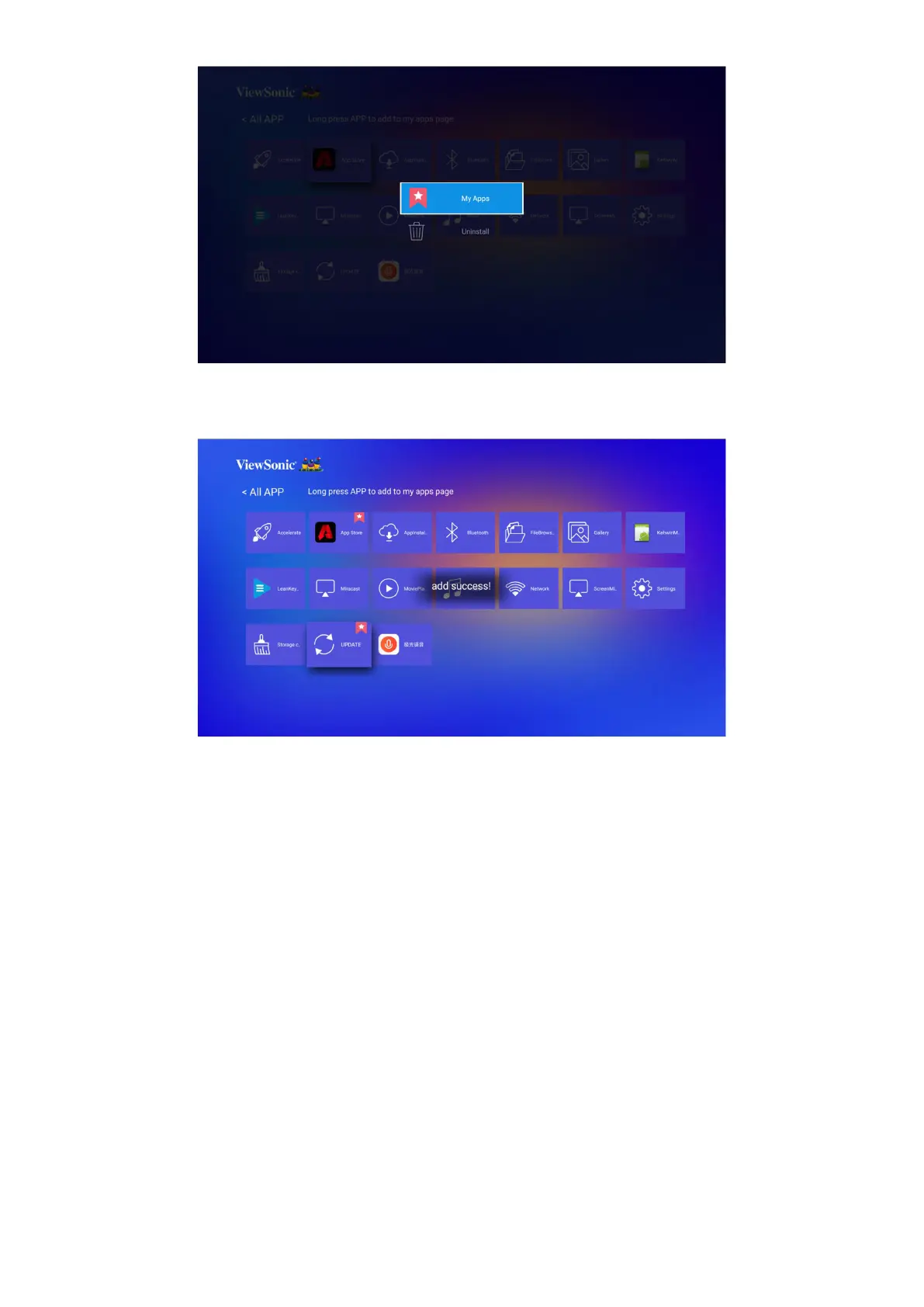
3. Once succeeded, below dialogue box will appear and the applicaon will be
displayed with an asterisk.
Applications that have been added to My Apps page will be displayed under My Apps
page from the homepage.
To install an application:
1. Go to Applicaon > App Store from homepage.
2. Use the direconal buons to navigate the menu opons. When you nd your
preferred applicaon, press OK to enter the details and select the INSTALL
button to install it.
3. A progress bar will display while downloading.
4. Aer the applicaon is installed, you can open, upgrade or uninstall the
applicaon.
NOTE:
• You can install third-party applications by .apk file in File Management. However,
some third-party applications may have compatibility issues.
• Applications not preloaded may not be compatible or work properly.
• Some of the applications (including preloaded and manually installed applications)








 To Next Page