Page 3
ITM-0060-0069-ED3
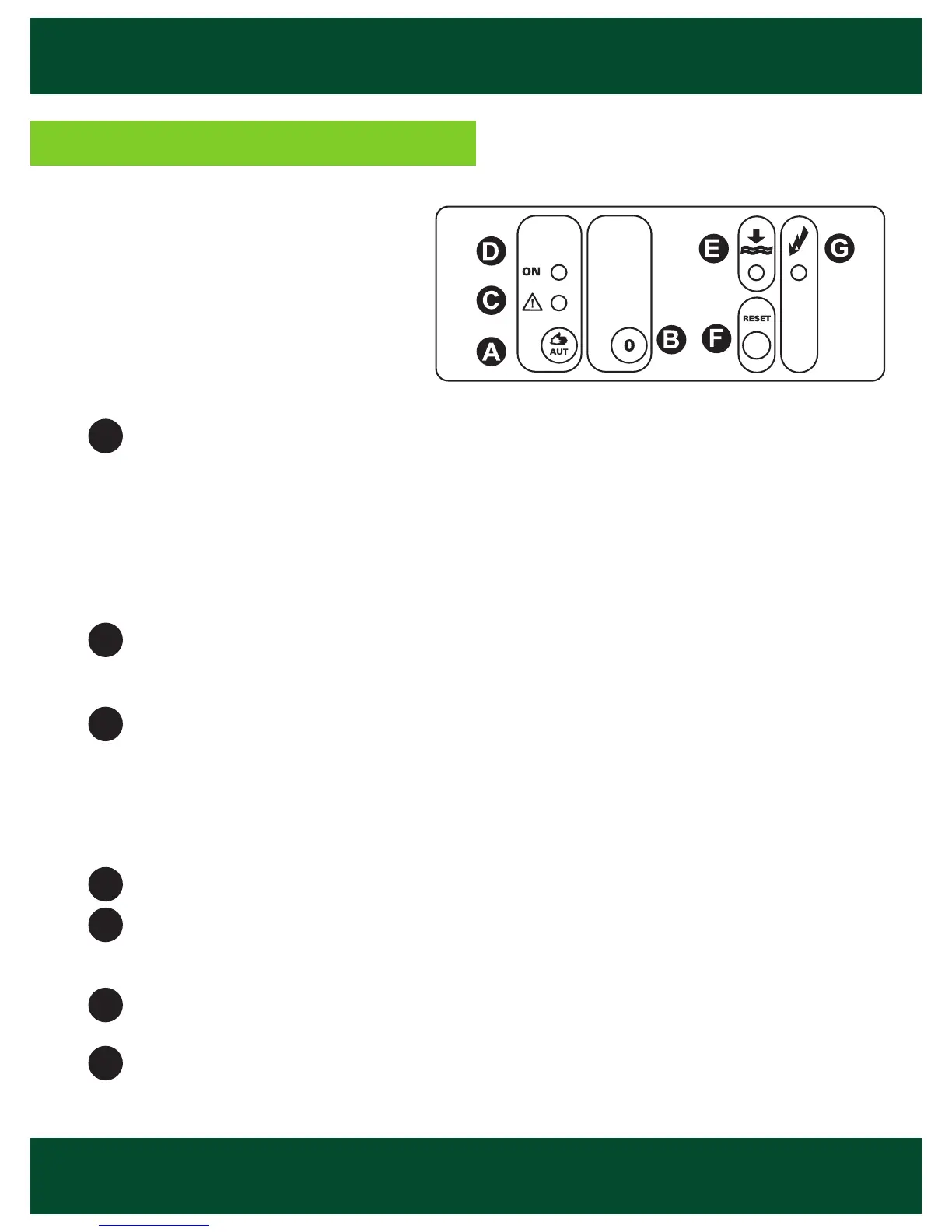
START button:
AUTOMATIC mode (green circle Led ON): press the button and the unit will work
automatically with the established controls and protections.
MANUAL mode (green circle Led fl ashing): holding down the button more than 4
seconds, the pump is forced to start running. The overload and underload motor
protections are on in this mode. By releasing the button, the pump stops immedia-
tely and the device goes back to the AUTOMATIC mode.
STOP (“0”) button: the unit stops the motor and blocks the re-start. If voltage failure
occurs, the established operation mode remains memorized, continuing in the same
mode (STOP-AUTO) once the voltage is restored.
Red Led: MOTOR ALARM.
Led fl ashing: re-start time after detection of motor alarm (overload: 7 seconds, •
underload: 4 seconds).
Led on: OVERLOAD ALARM.•
Led on fl ashing each 5 seconds: UNDERLOAD ALARM. •
Green Led: MOTOR RUNNING .
Orange Led: LOW LEVEL. Orange on: lack of water (2 probes mode). ORANGE
FLASHING: re-start time of 15 minutes after a lack of water (1 probe with delayed start
or without probes mode).
RESET button: Re-starts the unit after an alarm for OVERLOAD or UNDERLOAD or
stops the LACK OF WATER time delaying.
SUPPLY VOLTAGE Green Led: it lights when there is a supply voltage.
A
B
C
D
E
F
G
Front confi guration


 To Next Page