Contact us at support@vikeri.tech
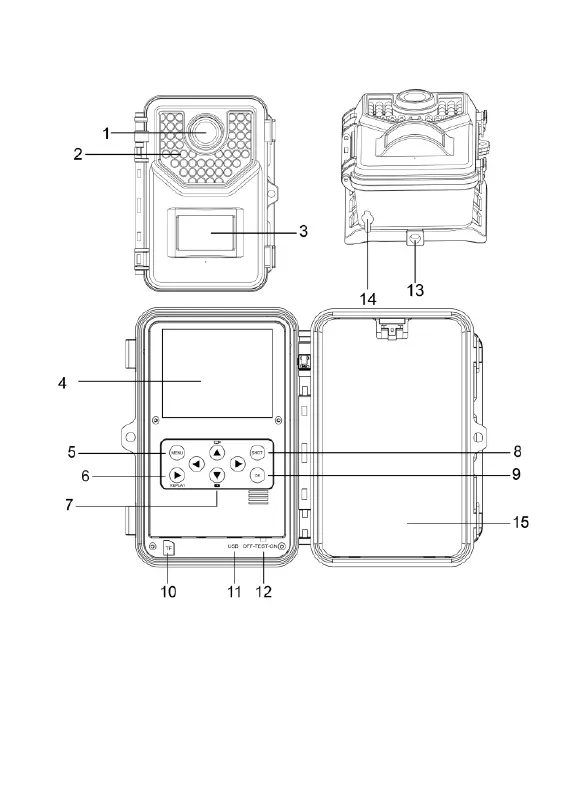
PRODUCT DIAGRAM
1. Lens 2. Infrared LEDs 3. PIR motion sensor
4. LCD screen 5. Menu button 6. Replay button
7. Navigation buttons 8. Shot button 9. OK button
10. TF card slot 11. USB slot 12. Mode switch
13. Fixation port 14. Power supply port 15. Battery



 To Next Page