Contact us at support@vikeri.tech
INSTALLATION
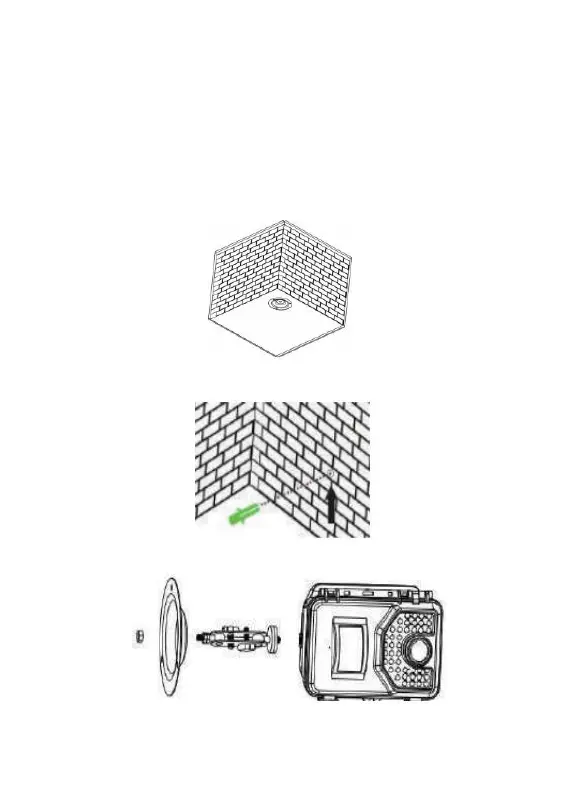
If you want to put the camera on the wall.
1. Mark the installation position with the help of the metal plate and make
holes in the wall.
2. Put the green components in the holes.
2. Fix the Fixation Kit by following the picture.
4. Put the camera at the position you have chosen and fix the camera with



 To Next Page