13
© 2012 Viking Preferred Service
Diagnostics
Entering Programming Mode (continued)
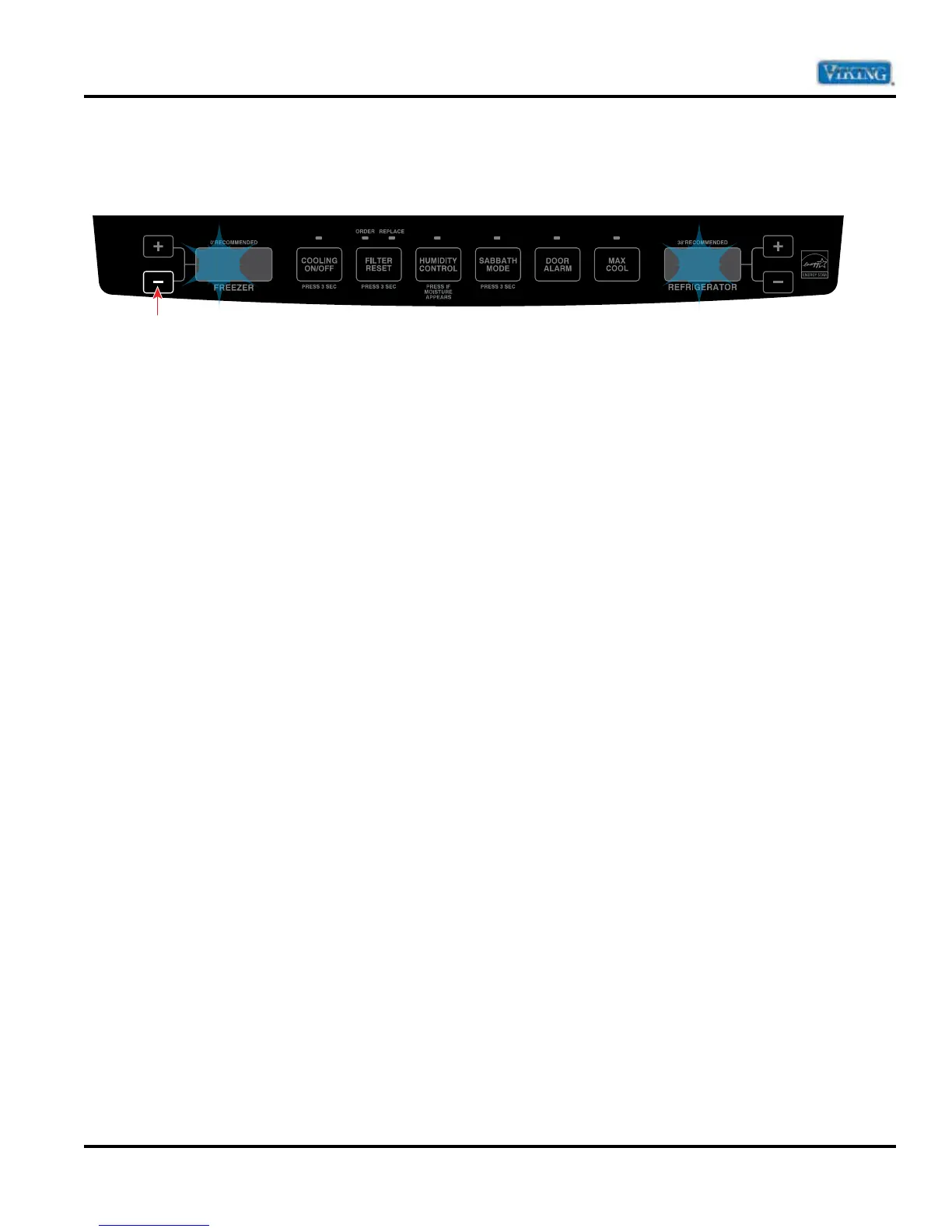
10. Once the desired program code is entered, press and hold the freezer temperature “–” (down) keypad until
the program code begins ashing indicating it has been saved.
Note: If you attempt to enter an invalid program code, the control will not save the new code, but will beep. (The
unit will NOT run with a program code of 0000). Once the program code has been saved, the Programming
Mode is exited by pressing any key. If the new code is incorrect, this process should be repeated.
Note: The Programming Mode can be exited at any time by pressing “DOOR ALARM” key for three seconds or
will exit if unattended for four minutes.
PE 010.






 To Next Page