22
© 2012 Viking Preferred Service
Diagnostics
Service Tests (continued)
211 Fresh Food Temperature Offsets
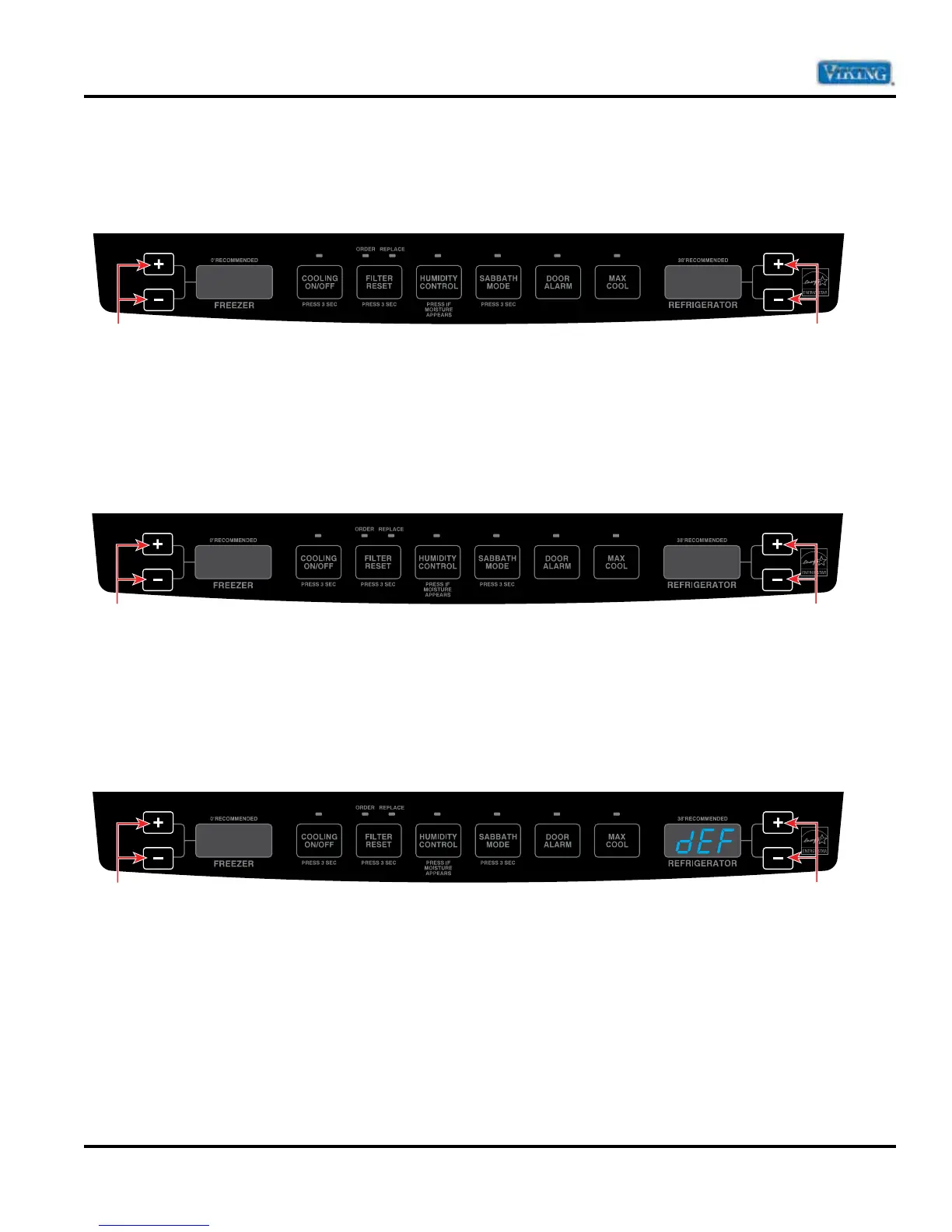
Press the refrigerator temperature “+” (up) or “–” (down) keypad to toggle calibration of fresh food temperature
plus or minus in 1°F increments up to 6°F.
Note: Temperature will read in fahrenheit regardless of what current temperature scale is being used.
212 Freezer Temperature Offsets
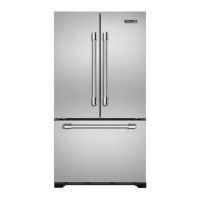
Press the refrigerator temperature “+” (up) or “–” (down) keypad to toggle calibration of freezer temperature plus
or minus 1°F in increments up to 6°F.
Note: Temperature will read in fahrenheit regardless of what current temperature scale is being used.
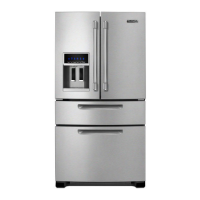
221 Reset Default Settings
(CAUTION: this will reset all adjustments made prior to this test)
Press the refrigerator temperature “+” up keypad to toggle reset to factory default settings dEF.
211
1
Press either button to toggle
through test cycles
Press either button to change
calibration of fresh food temperature
plus or minus in 1˚ increments
212
1
Press either button to change
calibration of freezer temperature
plus or minus in 1˚ increments
Press either button to toggle
through test cycles
221
Press either button to reset
to factory default (dEF)
Press either button to toggle
through test cycles






 To Next Page