6
Electronic Functional Description
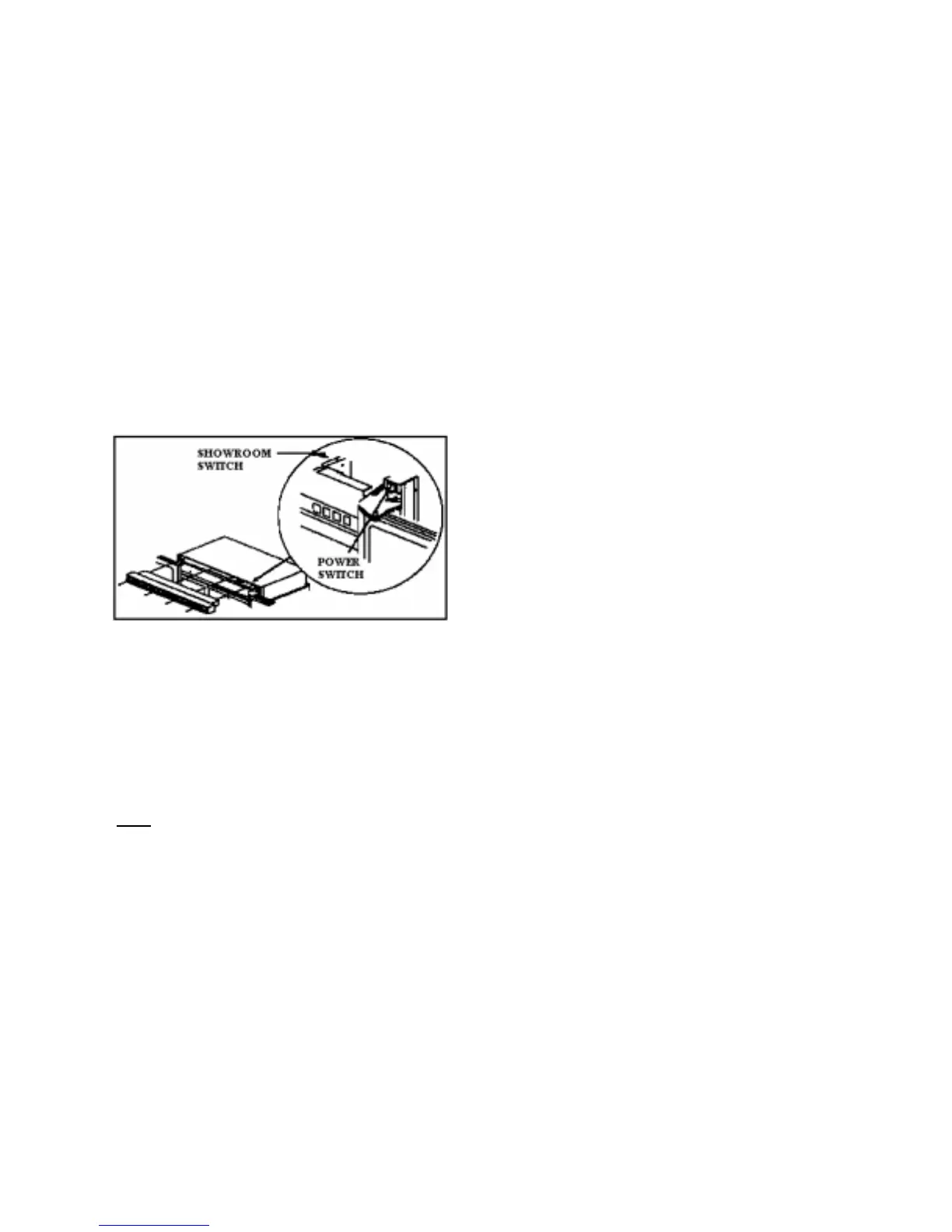
Power Disconnect Switch
Use power disconnect switch to disconnect
power without unplugging refrigerator. Power
disconnect switch is located behind air grille on
top right side. Refrigerator is shipped with
power disconnect switch in the on position.
Showroom Switch
Showroom switch allows electronic controls and
interior lights to function independently of
refrigeration system. Showroom switch is
located behind air grille to right of control panel.
Refrigerator is shipped with showroom switch in
the unit run position.
Alarms
Power Up Alarm
After power is initially plugged in, after a power
loss, or if power switch is turned off, all
temperature indicator lights will flash until
Alarm Off or Display On is pressed.
Note
: All settings return to default factory
settings.
Door Open Alarm
Alarm tone sounds and indicator lights blink if
either refrigerator or freezer door is open more
than 3 minutes.
1. Turn off Door Open alarm by pressing
Alarm Off pad or by closing door.
2. Deactivate door open alarm be pressing
Display On pad and then press and hold
Alarm Off pad for 3 seconds.
3. Door alarm delay can be adjusted in
Program Mode B.
High Temperature Alarm
Alarm sounds and indicator light shows if
freezer or refrigerator temperature has gone
above critical level and remains warm for 2
hours. Alarm tone stops if temperature falls
again.
!. Critical temperature for freezer is +15°F;
for refrigerator critical temperature is
+55°F.
2. Press Alarm Off to turn off alarm.
Thermistor Alarm
Alarm sounds and freezer or refrigerator
indicator light shows and temperature indicators
4 through 7 will turn on in sequence if either
thermistor circuit opens. Refer to Temperature
Control Operation Section and Electronic
Testing Section.
!. Press Alarm Off pad to turn off alarm.
2. Alarm will reset for normal operation. If
condition has not been corrected, alarm will
sound again.



 To Next Page