8
K7559.R
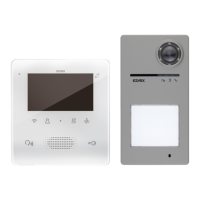
I tasti del videocitofono utilizzano un sistema di sicurezza,
per cui è necessario, allo scopo di evitare attivazioni
accidentali, tenere premuto gli stessi per attivare le funzioni.
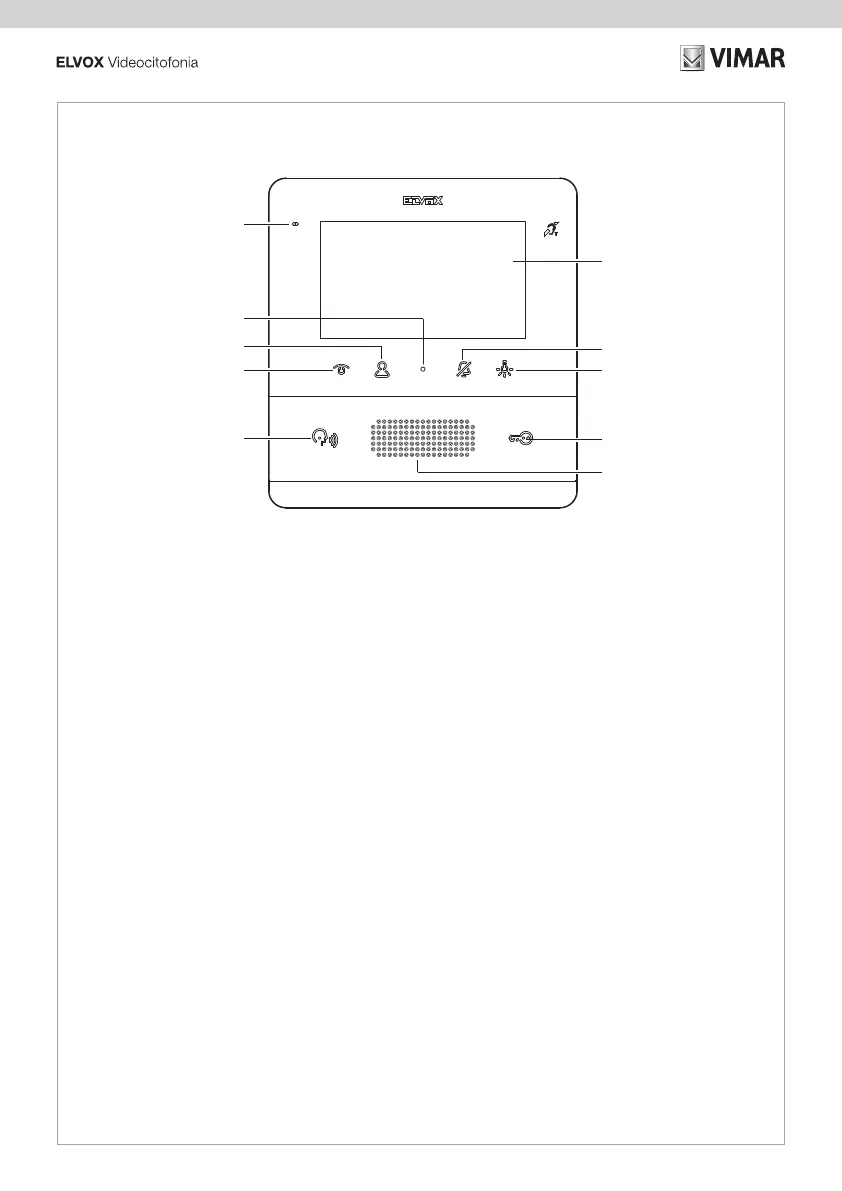
1 - Display LCD 4,3" 16:9, risoluzione 480x272 pixel
2 -
premuto per 2 s per disattivare/attivare la suoneria), mute
disattivare la suoneria, contemporanemente si disattiva la
suoneria anche per le chiamate successive).
Quando è lampeggiante, il posto interno rifiuta la chiamata
da posto esterno Quando è accesso fisso, la suoneria è
disabilitata
3 -
oppure, a certe condizioni, apre il menù Azionamenti *
4 - Attiva la serratura del posto esterno chiamante.
Quando è acceso indica lo stato di porta aperto
5 - Altoparlante
6 -
gestione con centralino)
- Risponde ad una chiamata da posto esterno o posto
interno
- Chiude una chiamata
2 sec)
Quando è acceso indica che è avvenuta una eventuale
chiamata da centralino senza risposta. E' possibile azzerare
la segnalazione di chiamate senza risposta, premendo per
più di 2 sec il relativo tasto
7 - Tasto T1: auto accensione, attiva il posto esterno principale
8 -
*
9 -
configurazione)
10 - Microfono
Nota* : per le funzioni attivabili dai menu "azionamenti" e
The video entryphone buttons use a safety system, so to
avoid accidental activation, the buttons must be held down
to activate the functions.
1 - 4.3” LCD 16:9 display, resolution 480x272 pixels
2 -
down for 2 s to deactivate/activate the ringtone), ringtone
ringtone, the ringtone is also simultaneously deactivated for
subsequent calls.
When it is flashing, the indoor station rejects the call from
the outdoor station; when it is permanently lit, the ringtone
is disabled
3 -
1) or, in certain conditions, it opens the Actuations menu *
4 -
When lit, it indicates the door open status
5 - Speaker
6 - Depending on the context, it activates several functions:
the management with switchboard is active)
When lit, it indicates that there was a missed call from the
switchboard. The missed called indicator can be reset by
pressing the related button for more than 2 sec
7 - Button T1: self-start, it activates the main outdoor station
8 - Button T2: it activates the second relay of the 2 fili system
menu *
9 -
configuration manual)
10 - Microphone
NOTE*: for the functions that can be activated from the
• Vista frontale
• Front view
• Vue de face
• Frontansicht
• Vista frontal
• Vista frontal
•
•
6
1
2
4
5
3
7
8
10
9


 To Next Page