CM1 USER MANUAL
20
Obtain DNS Service Address automatically: After clicking, IP Cam will
automatically obtain DNS by router.
By using DNS server address underneath: After clicking, the camera
will manually access with DNS connected to the Cam (user may not need to set
it).
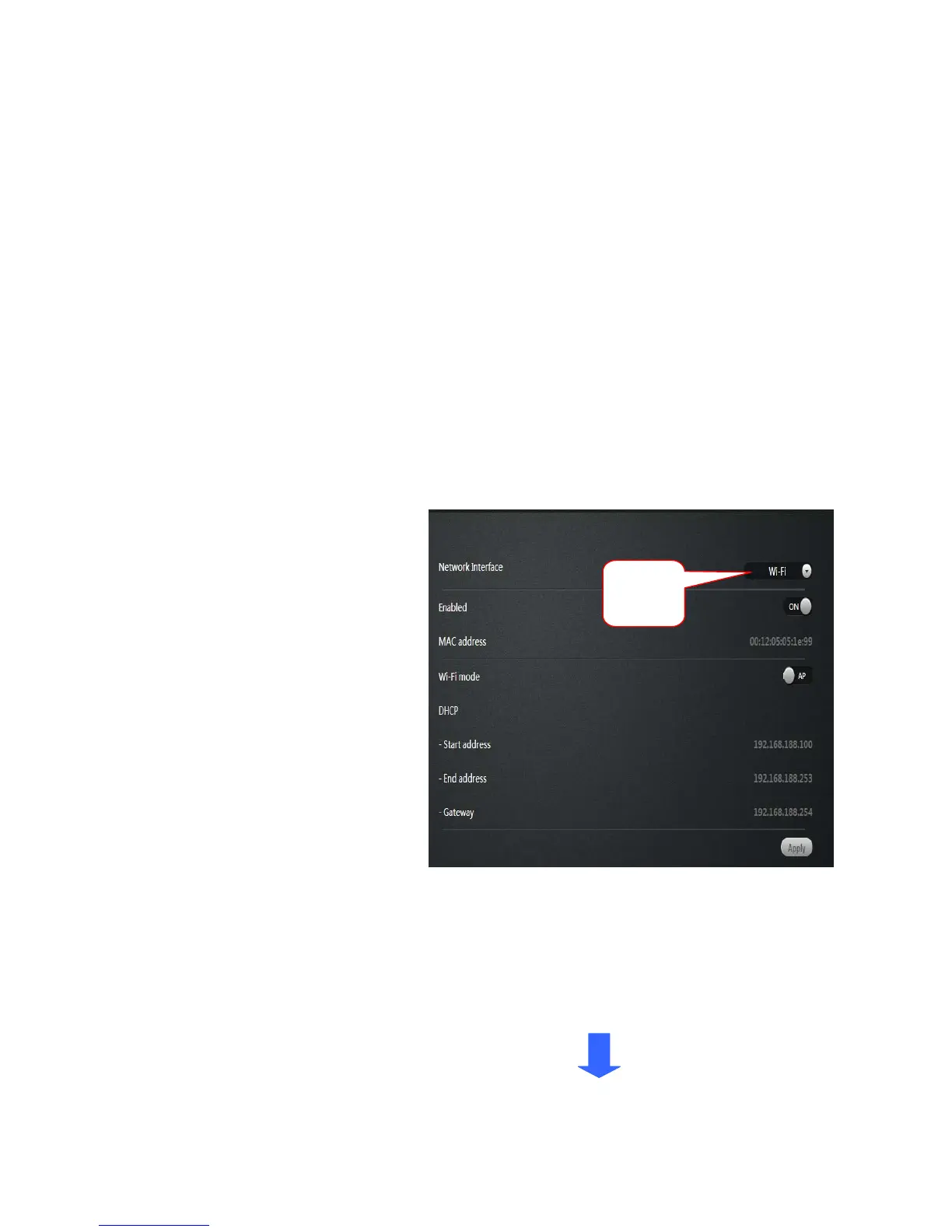
2. Wireless Network: (wireless network configuration)
Select the wireless network card
after.
Wireless Mode: Hot / Terminal
A.Hot spots: As a searching
device, the default mode is
wireless hot spot. By using PC
or iPhone can search the hot
spot, IP cam hot spot is realize
as ID number. For example:
ipc1jfiegaaaah2a.
By connected with hot spot can realize the WIFI P2P connections.
A. Terminal: As an searched devices, can realize network
Camera connected with WIFI router.
Choose
WI-FI


 To Next Page