CM1 USER MANUAL
12
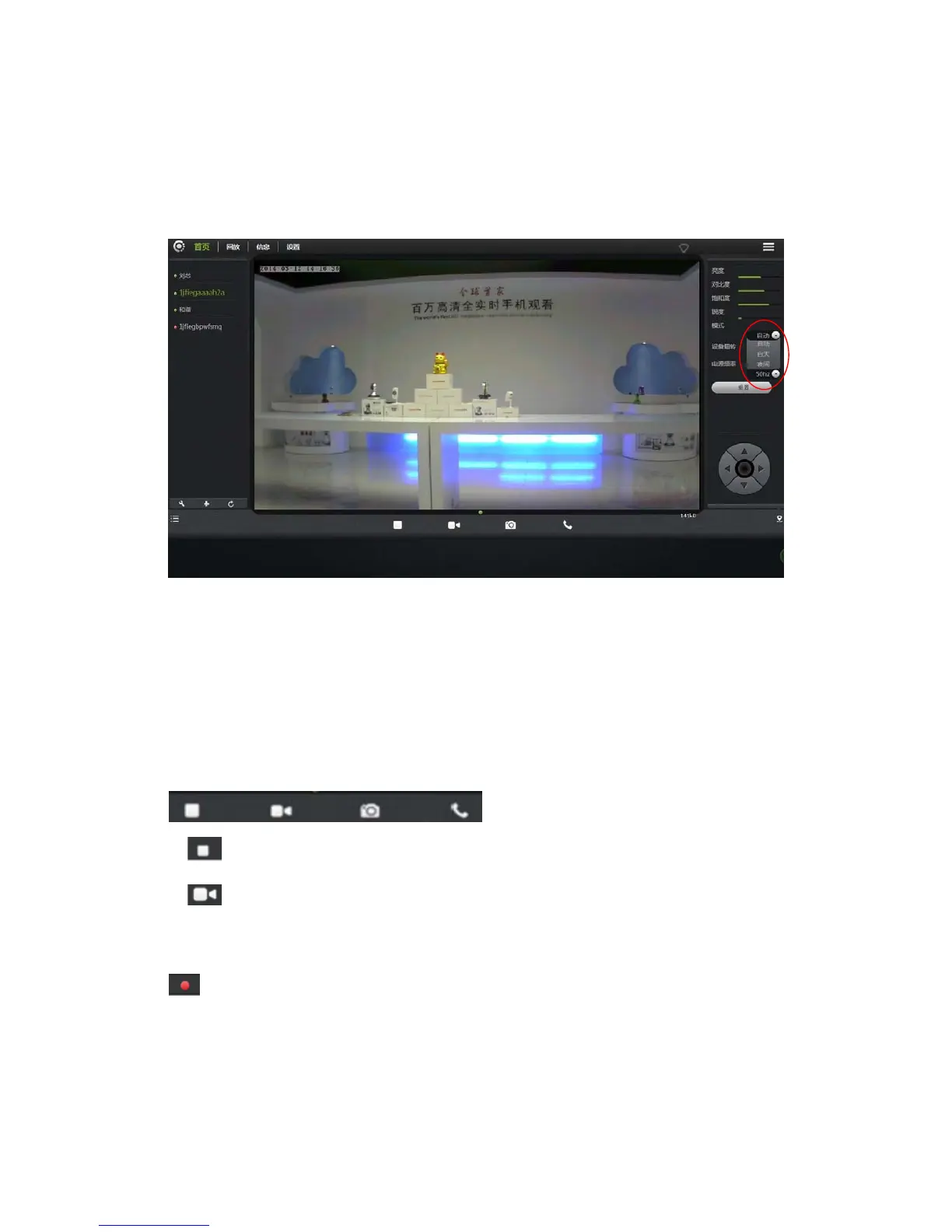
3.5 Mode selections
1. Automatically: Infrared lamp’s on and off is based on the environment around
the photosensitive sensor.
2. Daytime: IP camera is switch into daytime mode, infrared lamp is off.
3. Night: IP camera is switch into night mode, infrared lamp is on.
3.6 Button page
1.
Video Play / Stop: Click buttons to play or stop the video.
2.
Temporary manual recording button (the file recorded to micro SD card):
Click the buttons on the audio / video recording, recording icon indicates
.NOTE: This video button function applies only to temporary manually
recording.


 To Next Page