24
Vincent
REAR V
I
EW
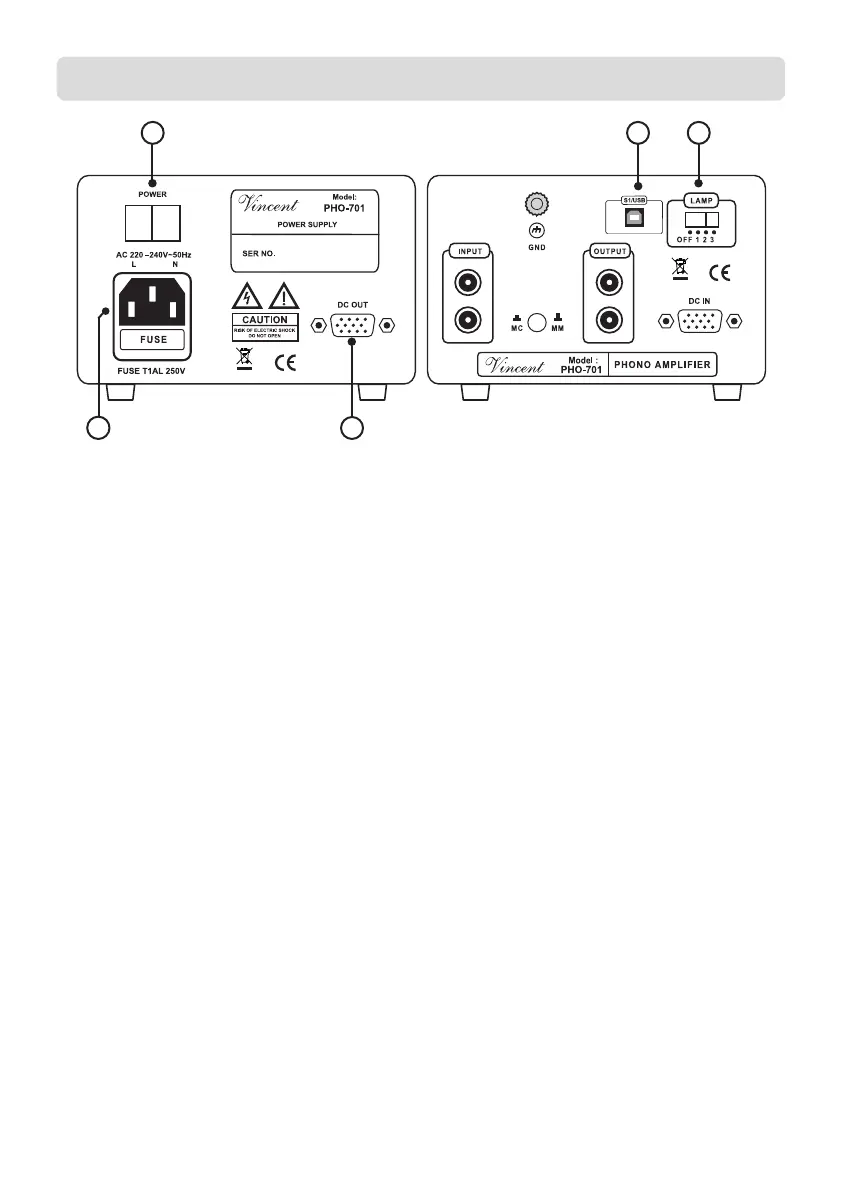
후면 패널
3. POWER: mains switch (전원 스위치)
This is the main power switch for turning on
and off the PHO-701. Always switch on the
PHO-701 before you switch on the amplifier/
preamplifier.
4. DC OUT: Power supply output
to PHO 701 (DC OUT 출력단자)
Make a connection to the power supply input
of the PHO-701using the supplied DIN cable.
앰프의 DC IN 단자와 DIN 케이블로 연결
하십시오.
5. AC/FUSE: power connector and fuse
holder (전원케이블 소켓/퓨즈홀더)
To establish the power supply, connect the
plugs of the power cable to the device and to a
wall power outlet. The small plastic housing
beneath the mains socket holds the fuse. Refer to
the Safety Guidelines.
전원 소켓 밑에 있는 퓨즈 홀터에 퓨즈가
내장되어 있습니다.
6. LAMP: Dimmer for the tube illumination
(전면 조명 밝기 조절)
The setting of this switch affects the brightness of the
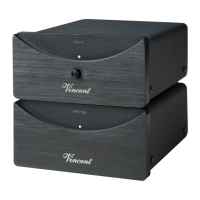
illumination of the tube display window (2).
전면의 진공관 표시창의 불빛 밝기를 조절합
니다.
7. USB-Connection (PC 연결 USB단자)
Connect the PHO-701 with your computer byUSB
cable to digitize your vinyl collection.
(Moreinformation on page 27)
USB 케이블로 PC와 연결하여 디지털 녹음 할
수 있습니다. (27쪽 및 부록 참조)
3
5
4
67
파워 서플라이 포노 프리앰프


 To Next Page