20
Vincent
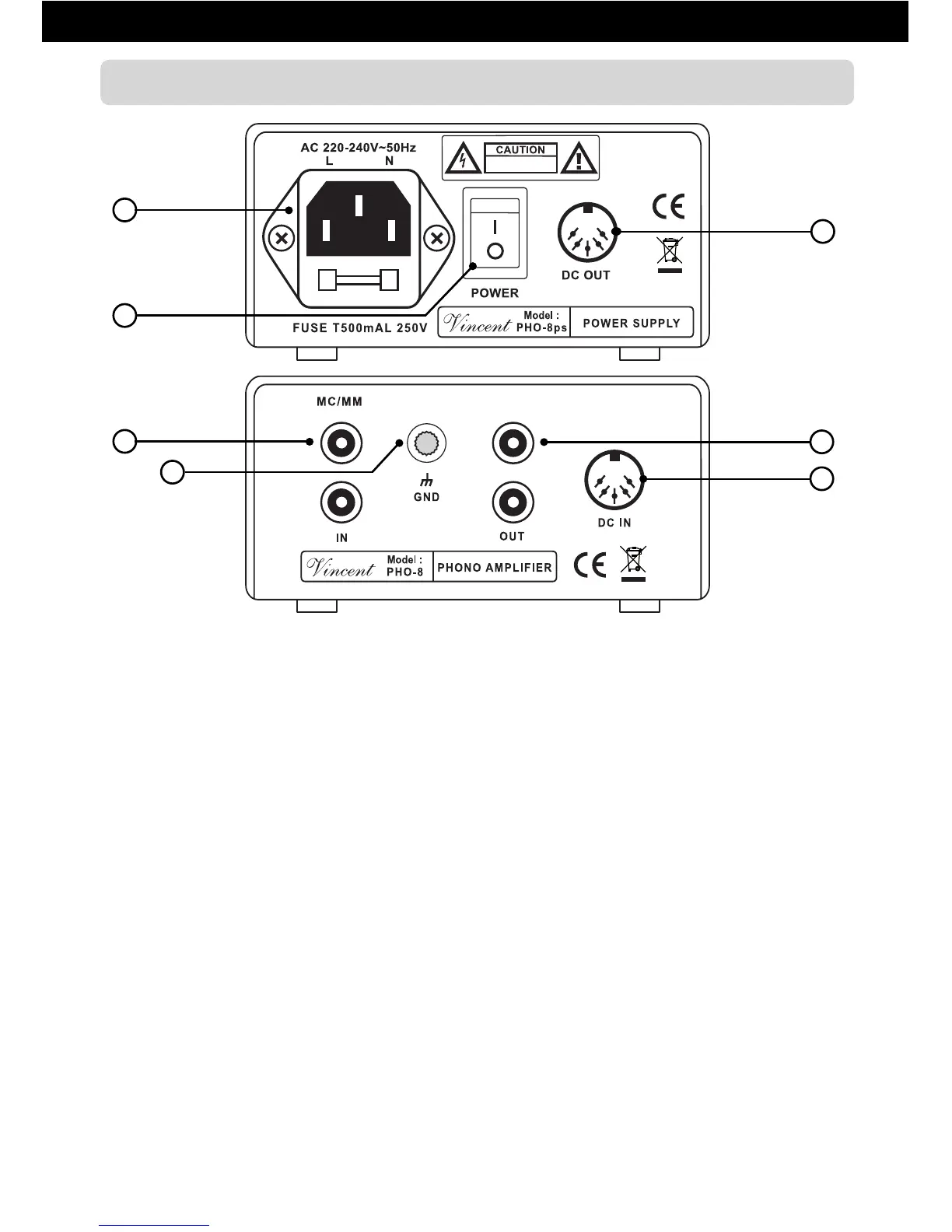
REAR VIEW
4. AC/FUSE: power connector
and fuse holder
To establish the power supply, connect the
plugs of the power cable to the device and to
a wall power outlet. The small plastic housing
beneath the mains socket holds the fuse. Refer
to the Safety Guidelines.
5. POWER: mains switch
This is the main power switch for turning on
and off the PHO-8. Always switch on the
PHO-8 before you switch on the amplifier/pre-
amplifier!
6. DC OUT: Power supply output to PHO 8
Make a connection to the power supply input
(10) of the PHO-8 using the supplied 5pin DIN
cable.
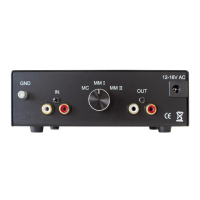
7. MC/MM IN: signal input from
the record player
The audio output (or as well an attached audio
cable) of the record player must be connected
to these input sockets.
8. GND: Ground clamp for the
record player
In addition to the stereo signal connection
cable most record players are equipped with
a grounding cable that can be recognized by
the cable lug at the end of the cable. This lug
has to be fitted to the clamp “GND”.
9. OUT: signal output to the amplifier
A pair of RCA input sockets of your system’s
audio amplifier must be connected with these
output sockets.
10. DC IN: power supply input of
the PHO-8
Make a connection to the power supply output
(6) of the PHO-8ps using the supplied 5pin
DIN cable.
4
7
8
6
9
10
5


 To Next Page