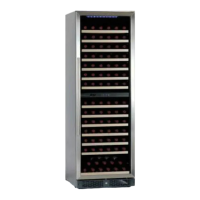
To modify the pre-set temperature of standard models:
Circumrotate the knob, The knob mark is the temperature pre-set area. A clockwise turn
sets a lower temperature, An anti clockwise turn sets a higher temperature.
Electronic models:
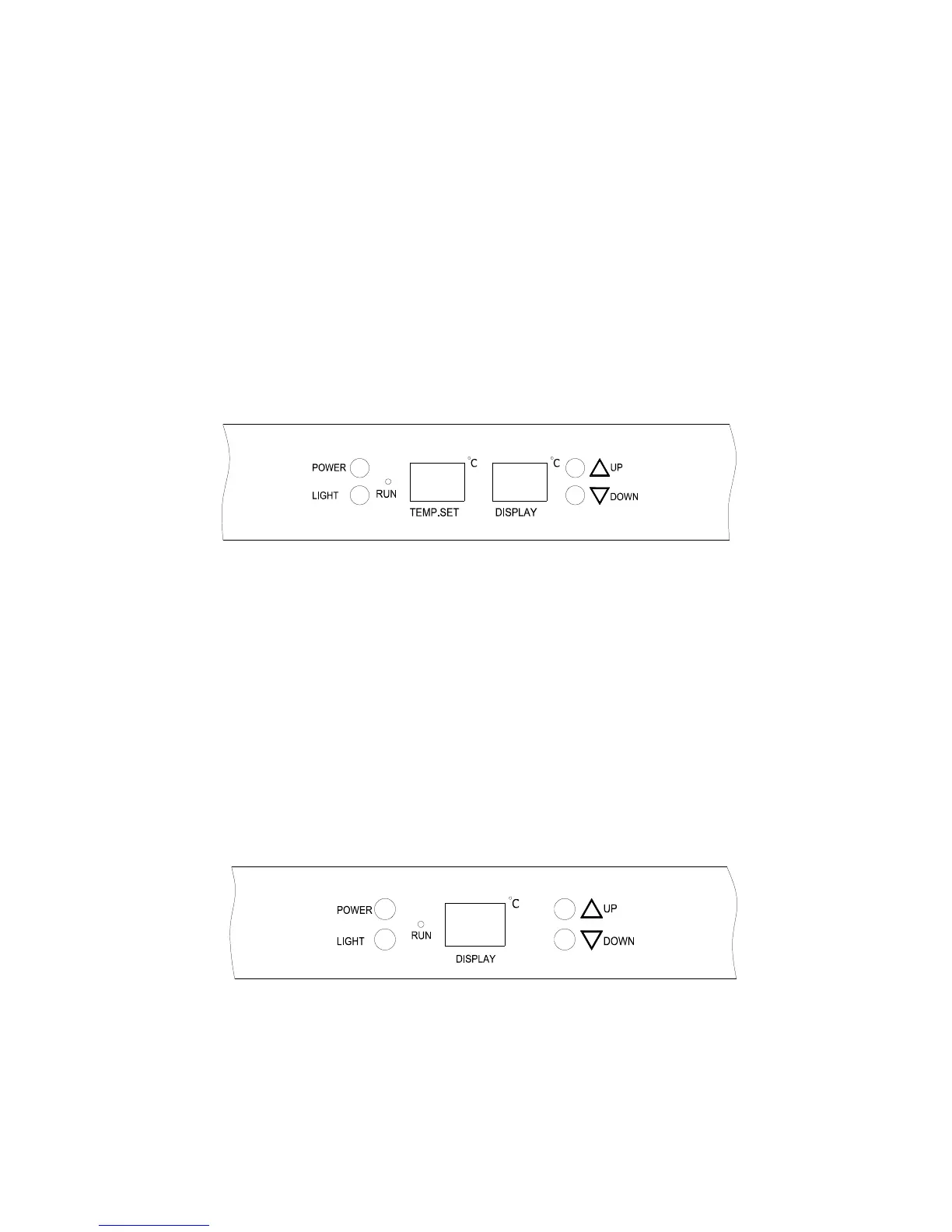
V30 “e” model
The “TEMP. SET LED, displays the set temperature
The “DISPLAY LED, displays the internal air temperature
Control panel of V30SG e wine cellars
To modify the pre-set temperature of V30SGe models
Adjust the desired cooling temperature by pressing the UP or DOWN buttons. Each
depression of the buttons will scroll through the available temperature settings in
increments of 1 degree Celsius. The temperature setting can be adjusted from 3 to 18
or 5 to 18.
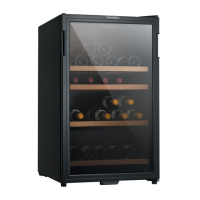
V40SG “e”,V50SG “e” models
V40DG 2e. V50DG 2e models for each compartment
The “DISPLAY LED” displays the internal air temperature. The set temperature
automatically appears by pressing either the UP or DOWN button
Control panel of SG e and DG “2e “model wine cellars
To modify the pre-set temperature of 40/50SGe and 40/50DG 2e models
Adjust the desired cooling temperature by pressing the UP or DOWN buttons. Each
depression of the buttons will scroll through the available temperature settings in
increments of 1 degree Celsius. The temperature setting can be adjusted from 5 to 18



 To Next Page