15
2. Audio menu
Description
OSD Menu
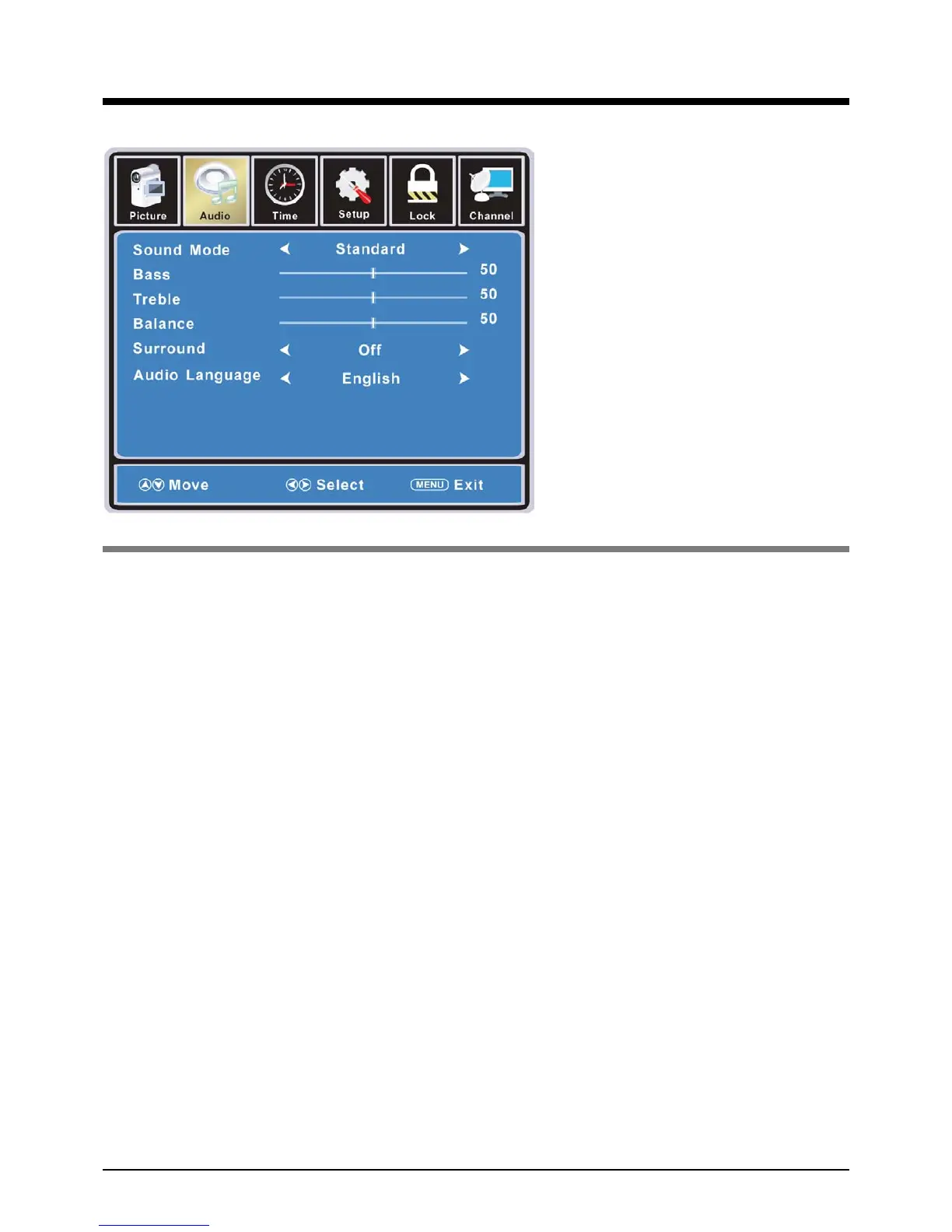
Sound Mode: Select your desired picture mode as follow: Flat, Music, Movie, Sports and User
You may select the sound mode directly by pressing the SOUND button on the remote
control.
Bass: Low frequencies intensity.
Treble: High frequencies intensity.
Balance: Left and right stereo audio channels balance.
Surround: Activate or deactivate the Surround function.
Audio Language: Select audio language.


 To Next Page