13
Section 9: ECO Modes and Gameplus
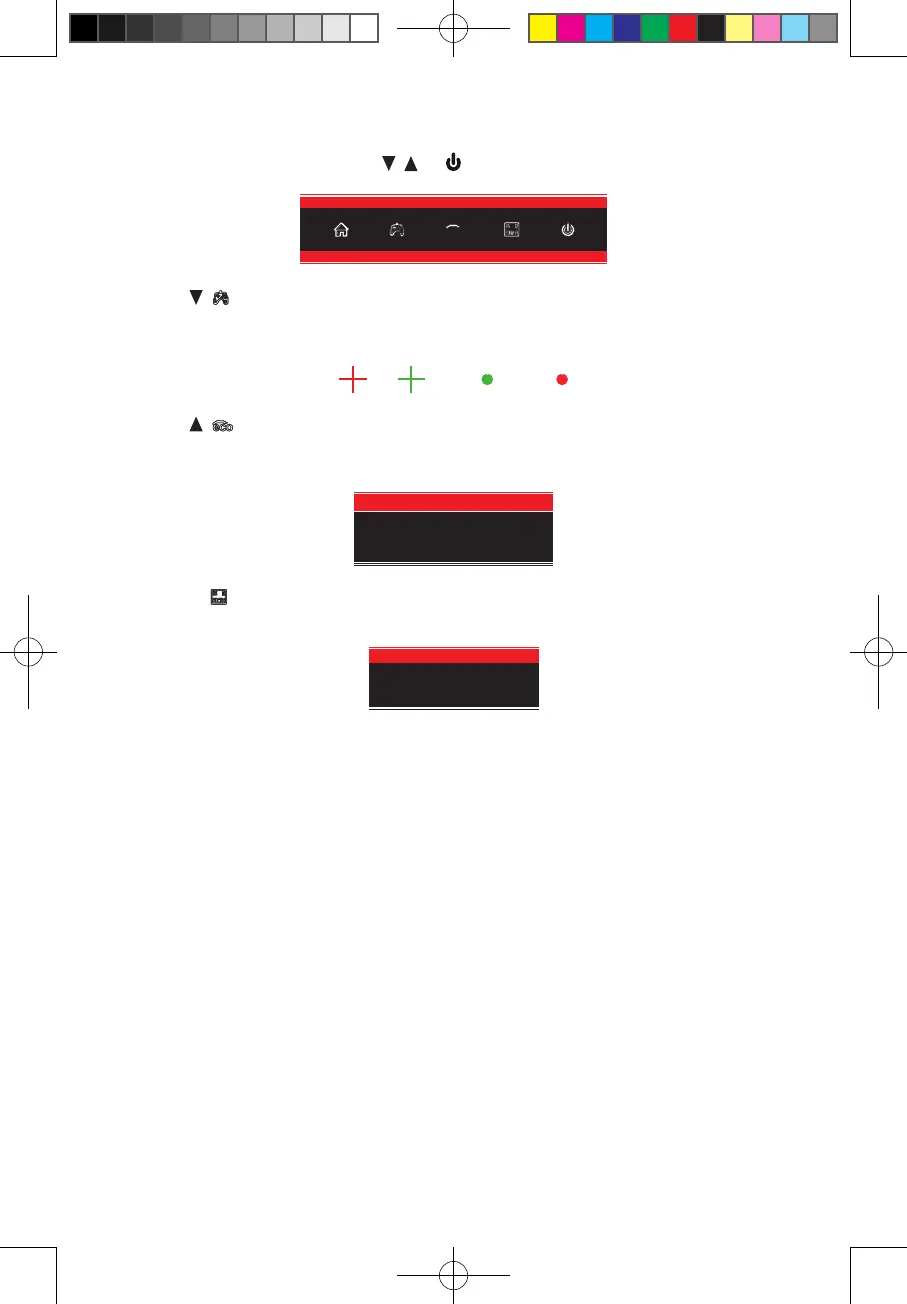
1. Press any one of the buttons (M, , , E, ) to activate the navigation window.
eco
2. Press ( ) to switch Gameplus modes. Choose the crosshair icon best suited for your
game. These game icons are primarily designed to optimize your aim during shooting
games, though they can be used for other scenarios.
3. Press (
eco
) to switch ECO modes. These modes include Standard, Photo, Movie,
Game, FPS, and RTS and can be used to optimize settings according to your activity.
Standard mode is suitable for most activities.
Standard
4. Press E ( ) to switch color gamut mode between “Limited” and “Full” when optimal
conguration is used (i.e., compatible graphics card and either DP or HDMI cables).
RGB Range:Full
Section 10: Troubleshooting
The screen is blank
• Press the power button to turn on the monitor.
• Conrm the brightness and contrast settings are set normally.
• Check if the indicator light is ashing. If so, this indicates there is no signal from
your video source.
• If your source is a notebook or laptop, be sure that its settings are in mirror or
extension mode and the device itself is powered on.
The image is out of focus
• Ensure the video cable is inserted properly at both ends.
The screen is flashing
• Try an alternative power source. Insufcient power may be causing this issue.
• Ensure devices such as non-shielded speakers, uorescent lighting, AC
transformers, table fans, etc., are a safe distance away from your screen to avoid
magnetic disturbances.
GNV27DB.indd 13 2020/3/26 18:39:16


 To Next Page