16
Light indicator is on or flashing, but there is no image displayed on screen
• Check if the monitor is receiving power.
• Check if the graphics card is installed properly.
• Make sure the power cable is securely connected to the monitor.
• Check cable connectors for curved or damaged pins. Replace cables if needed.
Color shortage (red, green, or blue)
• Check cable connectors for curved or damaged pins. Replace cables if needed.
Image position is not centered/the size is not right
• Please adjust Clock or Auto settings.
Color difference (colors are not optimized)
• Adjust RGB color or reset color temperature settings.
Section 12: Specifications
Item Detail
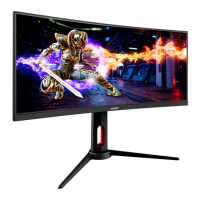
Model Number GNV30CB
Screen Size 29.5”
Curvature 1800R
Viewing Angle ≥170°(H); ≥176°(V)
Aspect Ratio 21:9
Resolution 2560x1080p
Backlight E-LED
LED Indicator Power on: Blue (LED); Power saving : Blue Flicker (LED)
Typical Brightness 250 cd/m
2
Default Color Temp. 6500
Color Gamut 92% sRGB; 68% NTSC
Contrast Ratio 3,000:1 (Static)
Dot Pitch 0.2697 x 0.2697mm
Response Time GTG 8ms
Refresh Rate 120Hz
Ports HDMI x 2, DP x 1, AUDIO OUT x 1
Power DC 12V / 4.0A
Power Consumption Typical: 39W, Max: 48/52W; Off/Sleep mode ≤ 0.5W
OSD Language
English, 简体中文,한국어,Español
Usage Temp. 32°F~95°F (Operating), -4°F~ 140°F (Storage), 10-85%
RH (Non-Condensing)
Tilt Angle Forward 1°; Backward 10-12°
VESA Compatibility 75X75 mm
Dimension (With Stand) 27.8x7.3x16.1in (706.8x184.8x409mm)
Weight 12.1 lbs (Net) / 15.4 lbs (Gross)


 To Next Page