DMSS Mobile App by IP Address (optional)
App available for Android, iOS, Blackberry, Symbian, Windows Mobile and Windows 7 mobile
From your compatible Smartphone, access the App Marketplace and download the free App. This may
also be listed as:
iDMSS lite for Apple iOS
gDMSS lite for Android
DMSS lite for others
Configuration:
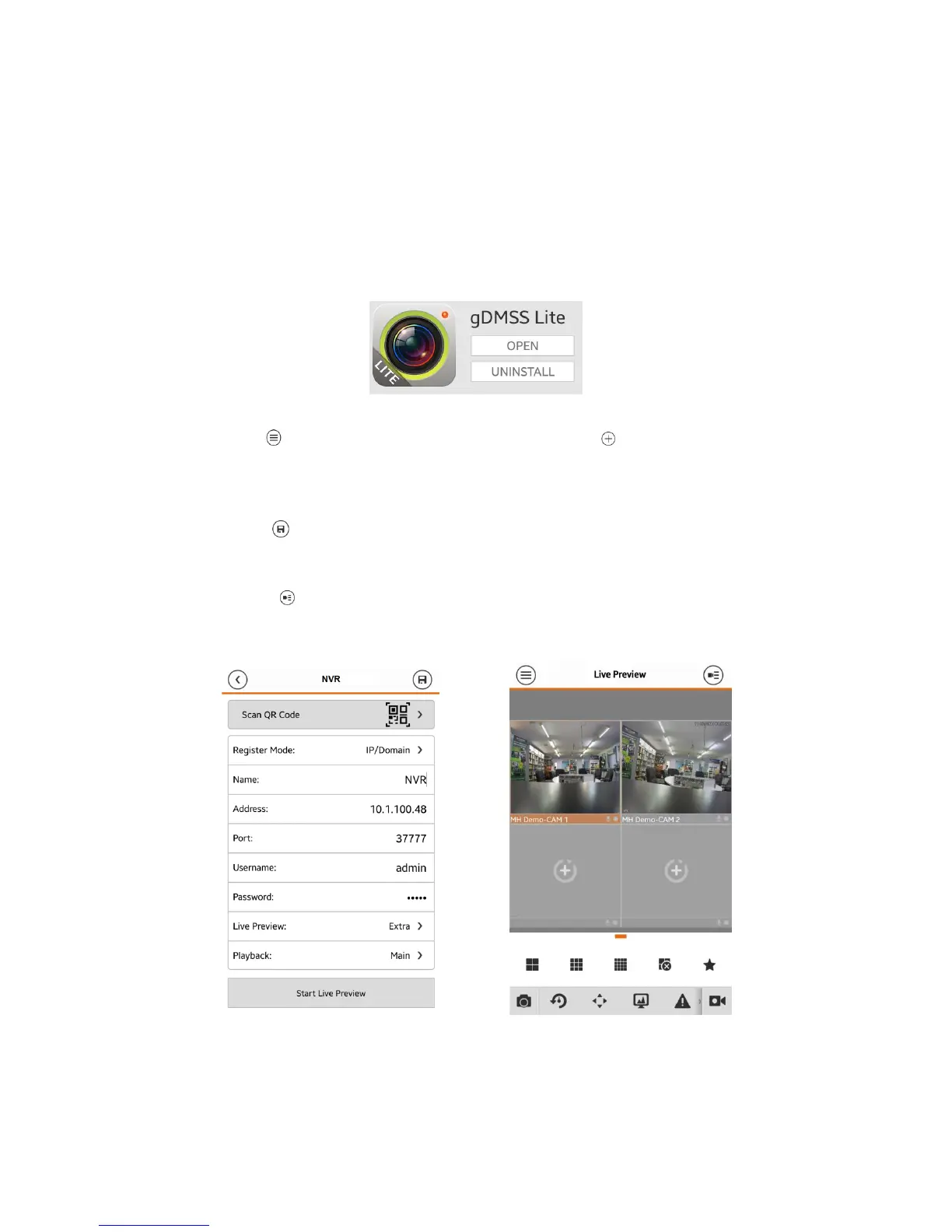
1. Go to “MENU” then “Device manager” and select “ADD” .
2. Set “Register Mode” to “IP/DOMAIN”
3. Enter in your devices NAME, IP Address or DDNS and TCP Port (default is 37777).
4. Enter your Username / Password and the set Live Preview and Playback to “Extra”.
5. Select “SAVE” in the top right corner or “Start Live Preview” to save and connect.
6. You be returned to your Live View screen where your camera feed will now be displayed.
7. In the future, you can connect to your system directly from the main screen by tapping the
“DEVICE LIST” then ticking your NVR and selecting the “Start Live Preview” to connect.


 To Next Page