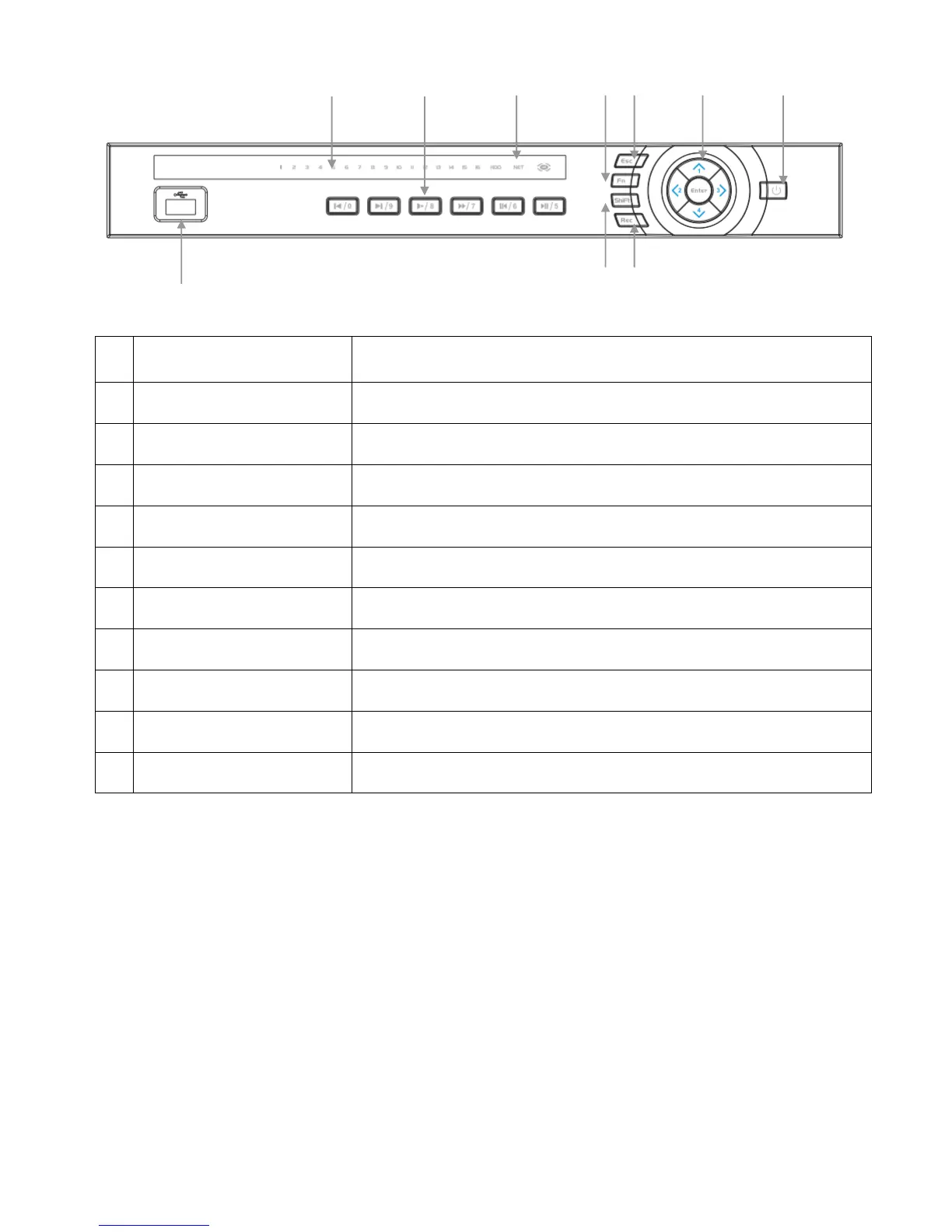
Buttons marked with numbers can be used to enter numeric data
when in numeric text entry mode (See “SHIFT”)
Playback controls used when viewing recorded footage.
Displays recording cameras. (Unit limited to four maximum)
Shows device is powered/reading HDD/connected to network.
Manually start/stop recording.
Used to select and enter options in menus.
Go to previous menu/cancel current operation.
Hold for three seconds to power on/off device.
Switch between text entry modes. (Numerals, English, Capitals, etc.)
Various auxiliary functions.
Connect USB storage device or USB Mouse.


 To Next Page