How to enable ActiveX Controls in Internet Explorer (optional)
We can only recommend using ActiveX Internet Explorer 5.5 or above, and strongly recommend the use
of IE9 as unfortunately IE10 is not compatible.
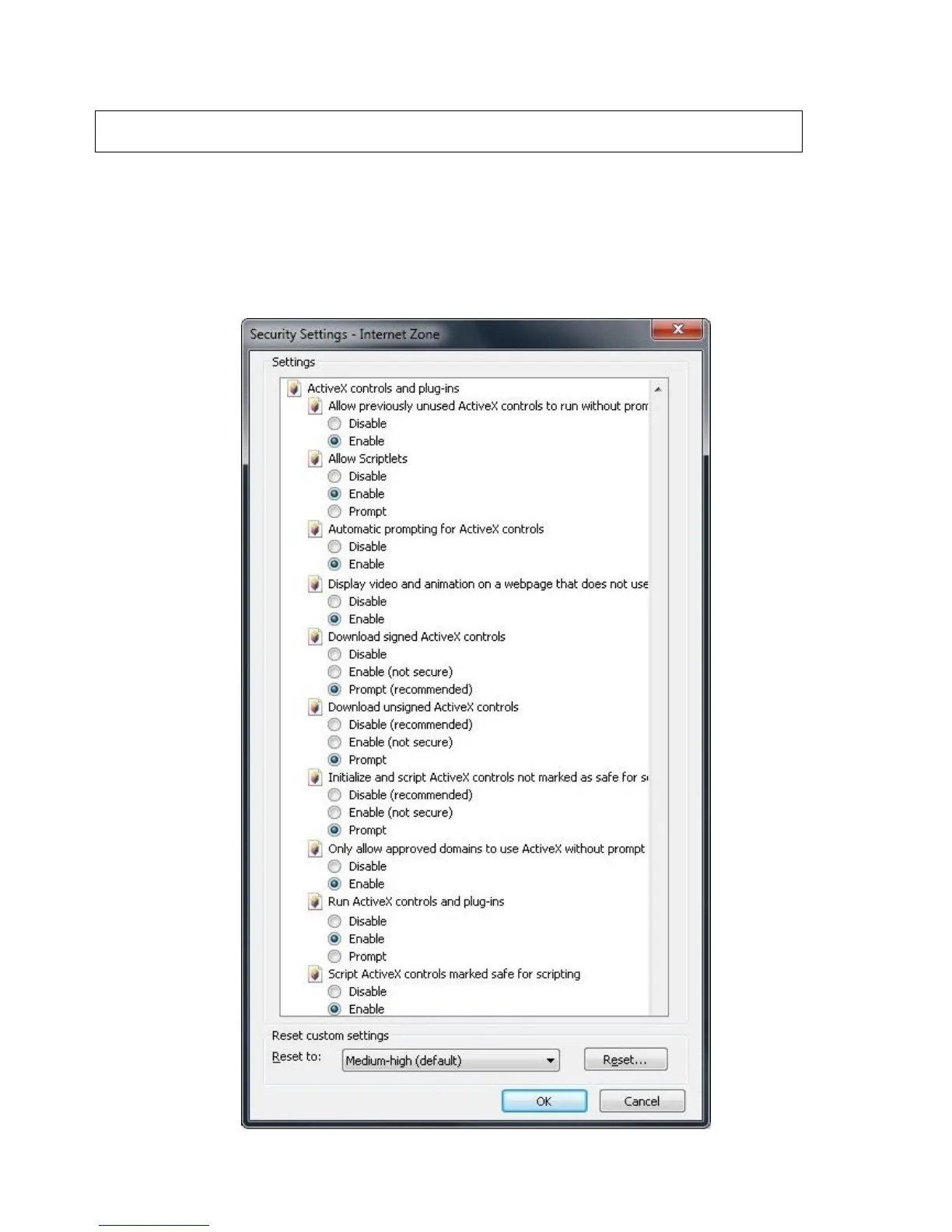
To enable ActiveX controls go to: Tools > Internet Options > Security > Custom Level > Then once in
the Security Settings, enable all ActiveX related options. Please see the settings below:
Important: Before Setting up remote access for your NVR, you will need a good understanding
of computer networks. If you do not, please seek the assistance of a qualified I.T. professional.


 To Next Page