To Connect Cameras
Right click to open the menu and select “MAIN MENU”.
Select “SETTING”
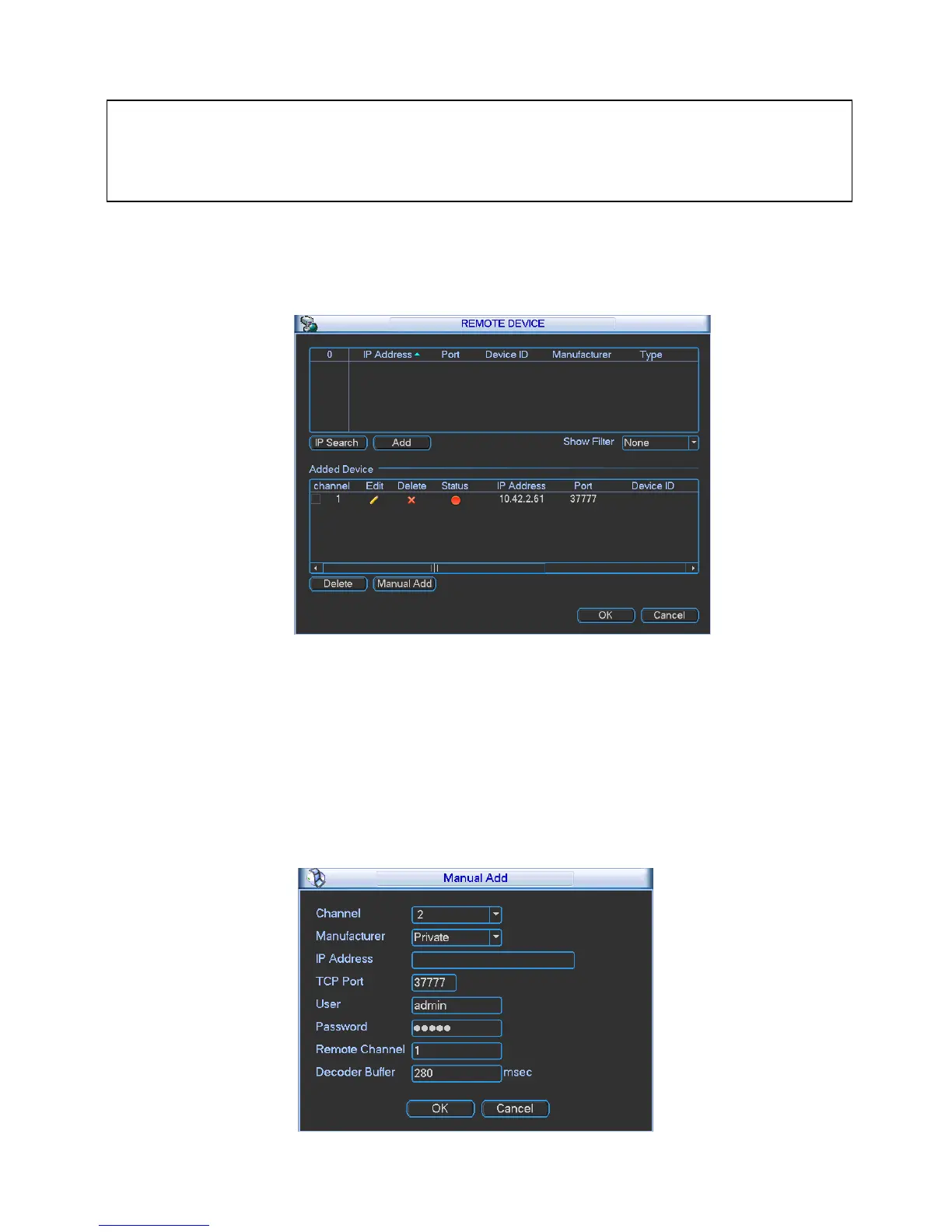
Select “REMOTE DEVICE”
Adding Cameras that are not on the Inbuilt POE Ports:
1. Click IP Search, this will list all cameras connected in the upper panel.
2. Click on the camera you wish to connect and click „Add‟
Manual Adding Cameras that are not on the Inbuilt POE Ports:
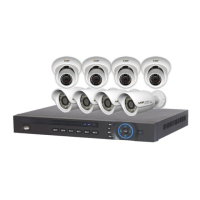
1. Click Manual Add
2. Enter the information about the camera, if you do not know this information, you must manually
setup the camera on another network before connecting.
NOTE:
The NVR is designed to automatically configure the IP cameras which are camera connected to the
dedicated POE Ports on the back of the device. However you can still manually add the cameras
when they are connected via the local LAN.


 To Next Page