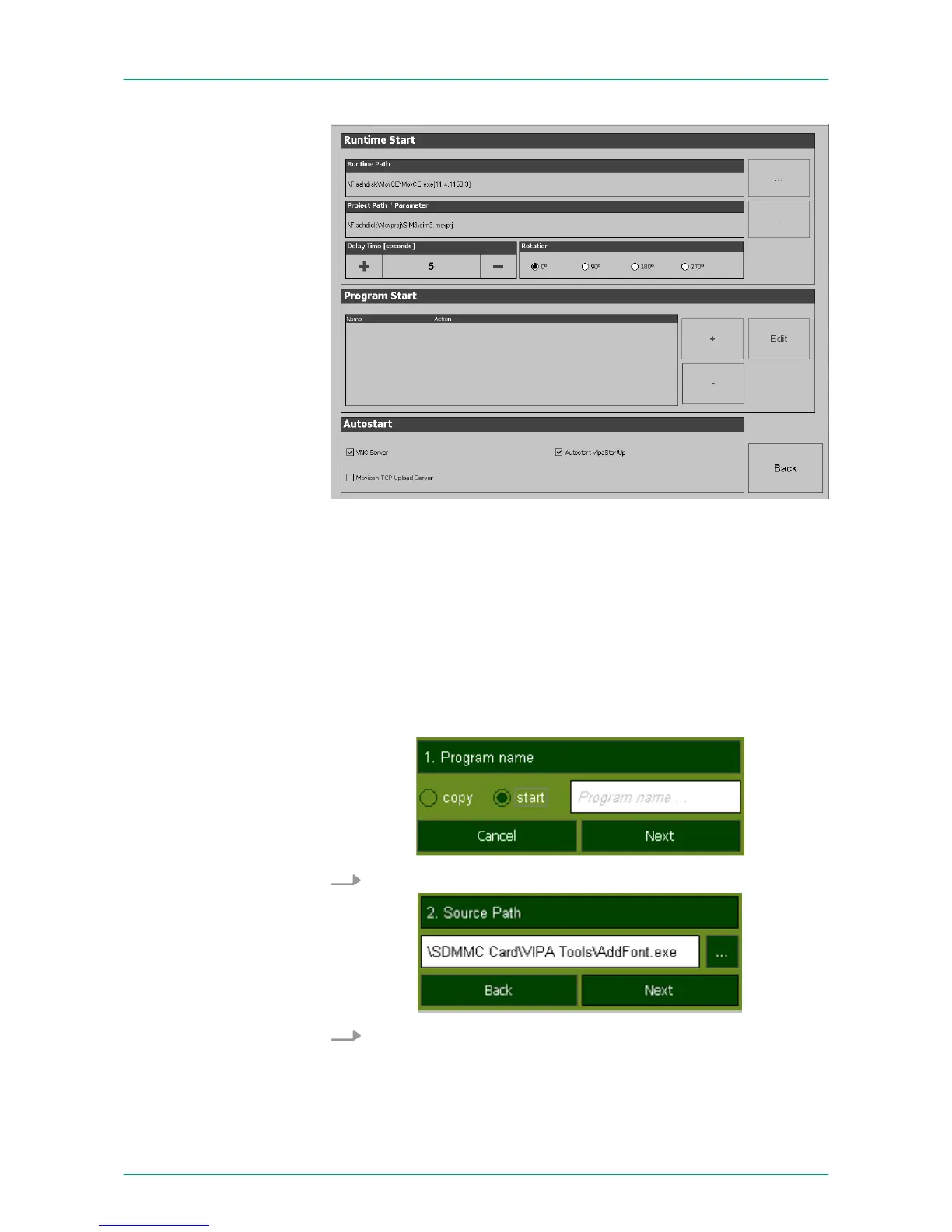
With [...] at "Runtime path" res. "Project path" all existing runtimes
res. projects on the panel and the storage media will be listed.
Under "Delay Time" you can adjust a delay time > 0 by using the but-
tons [+] and [-]. 5 seconds are default.
Via "Rotation" the orientation of the panel can be changed.
Via "Program start" with [+] you can add programmes, which have to
start automatically.
1. Select "start" and assign a name for the program.
2. Upload your program with [...].
VIPA HMI Touch Panel
Deployment under Windows CE 6.0 Prof.
Commissioning> VIPA Startup-Manager
HB160 | TP-ECO | 62K-NHC0 | GB | 14-27 49


 To Next Page