4. Unzip the zip file and copy the file to the root directory of your
SD card.
5. Switch-on the panel, install the SD card and select via ‘Start
è Settings’ Control Panel.
6. Start in the Control Panel the program "AutoRunMaker" via
double-click on the following symbol .
ð
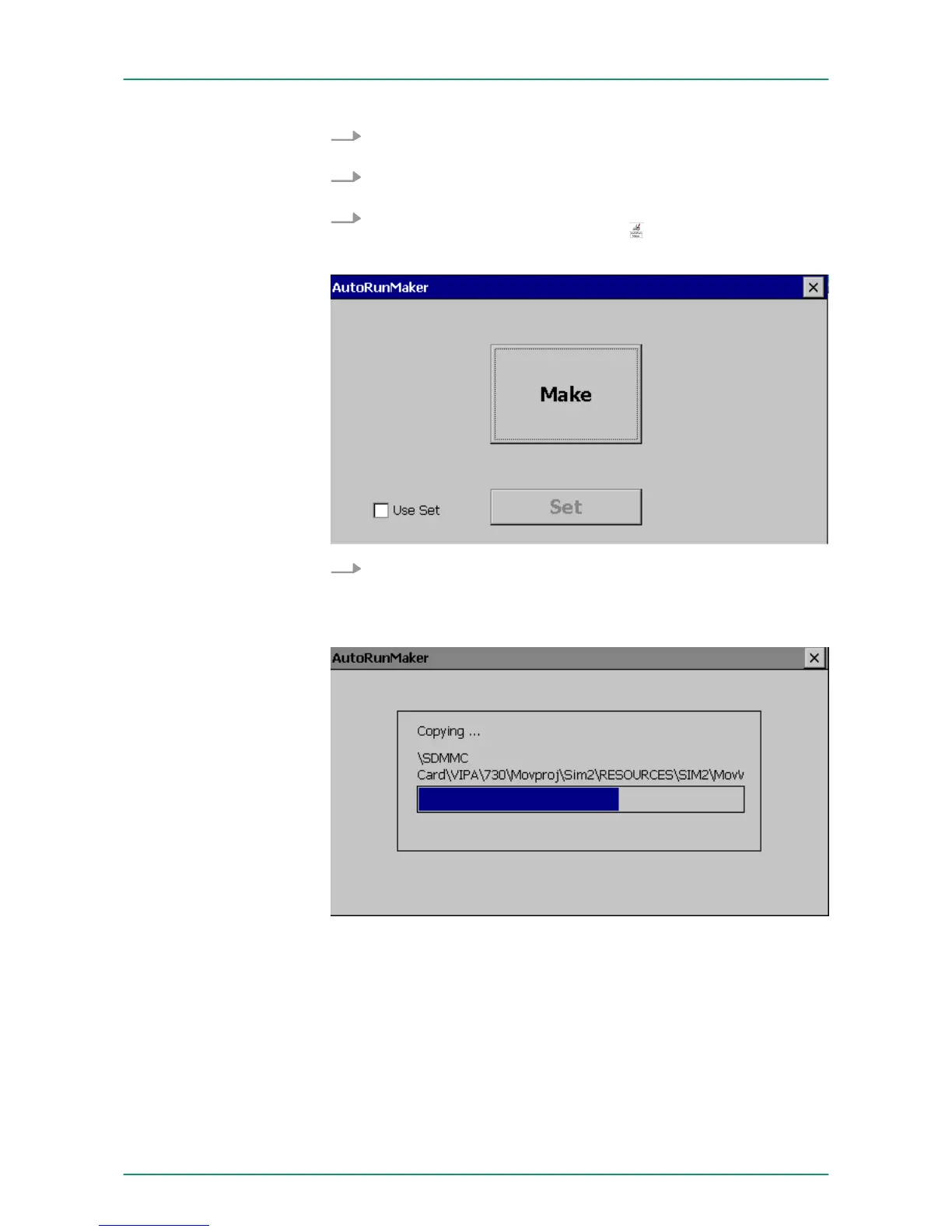
After start-up the following window appears.
7. Click [Make].
ð
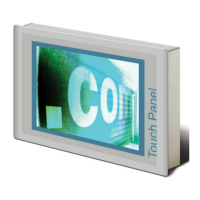
All the necessary files are copied and the registry is accord-
ingly adjusted.
The progress is displayed in a new window.
VIPA HMI Touch Panel
Deployment under Windows CE 6.0 Prof.
Installation Movicon and Startup-Manager
HB160 | TP-ECO | 62K-NHC0 | GB | 14-27 51


 To Next Page