8
Features of the Connection Manager
The Connection Manager provides status information about your connection, tells
you whether you are roaming, as well as providing access to the MobiLink menus.
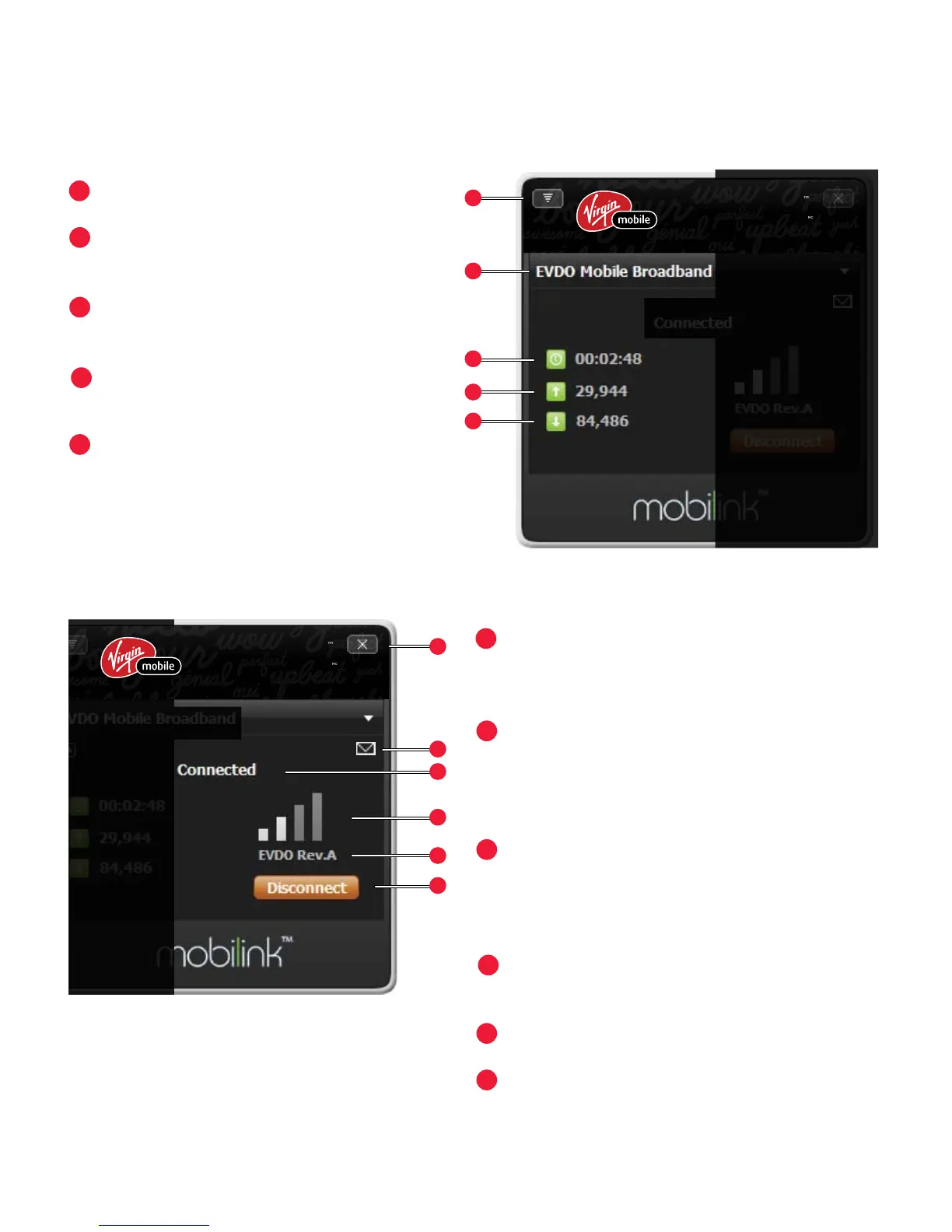
Menu – Opens the MobiLink menus.
Prole – The name of the current
connected prole.
Duration – How long the network
has been connected.
Bytes Out – The number of bytes
sent this session.
Bytes In – The number of bytes re-
ceived this session.
Close – Closes the Connection Manager.
MobiLink continues to run and the
system tray icon is available.
SMS Received – Shows that you have
received an SMS message. Note: Your
device is equipped to receive, but not
send, SMS messages.
Connection – Displays the connection
status (Connected, Disconnected,
Ready, Radio Off, and No Device
Detected).
Signal Strength – More bars indicate a
stronger signal.
Network Technology – Type of network.
Connect/Disconnect – Connect or
disconnect from the network. May read
Activation the rst time you connect.



 To Next Page