14
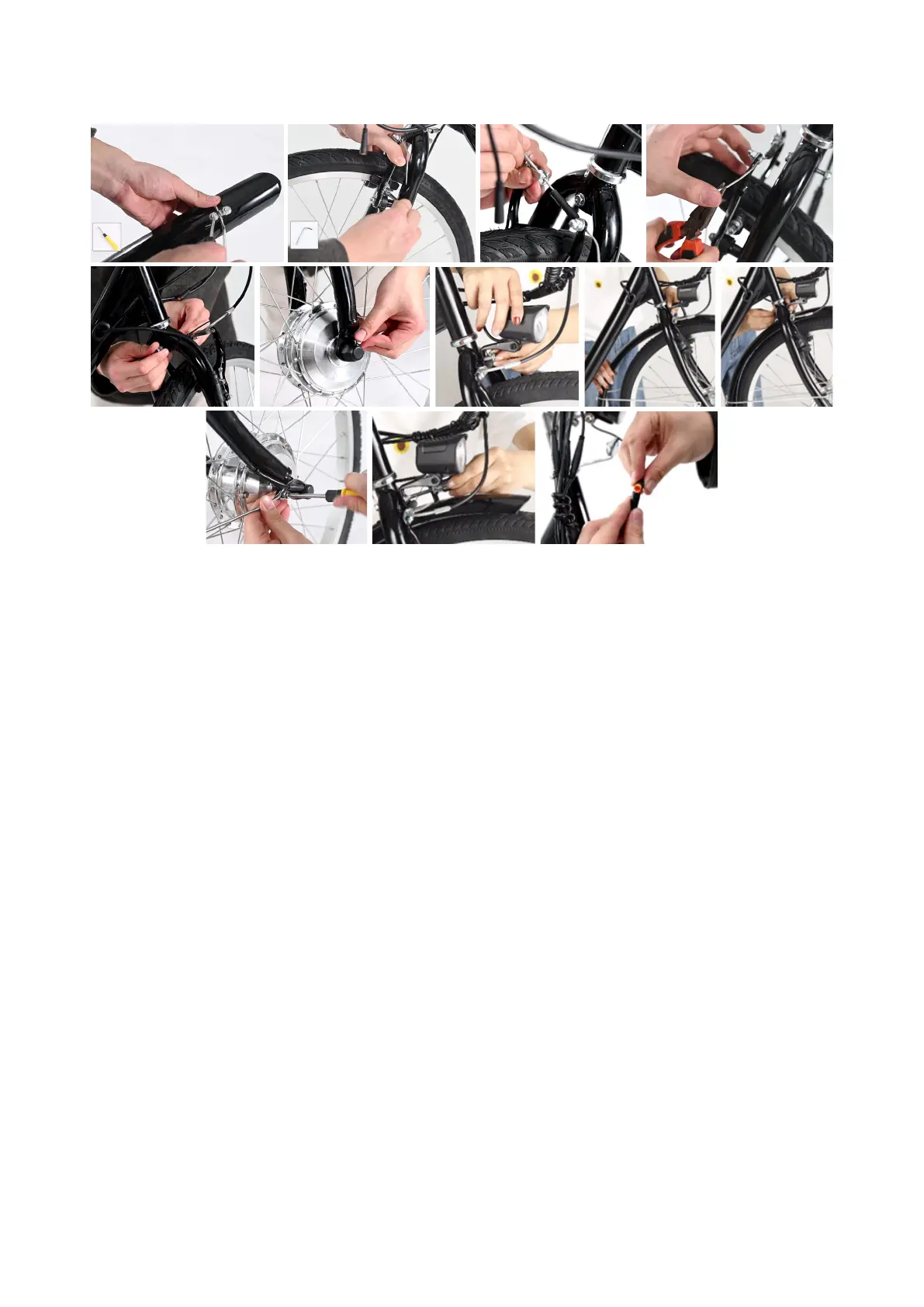
11. Installing the Front Brake, Fender, Light, and Stay
1. Remove the 2 bolts and slats from the top of the front fender (9). Place them nearby.
2. Mount the front fender stay (22) onto the front fender.
3. Replace the slats and bolts, tightening the bolts with your Phillips screwdriver.
4. Position the brake pads over the front wheel’s rim. (Do not allow them to touch the tire.)
5. Tighten the bolt with your 5mm hex wrench.
6. Fit the front brake cable into the slot of the other side of the V-shaped front brake, pulling it taut.
7. Attach one brake cable cap (29), squeezing it with your pliers.
8. Remove the nut, washer, and long bolt from the top of the front fork. Place them nearby.
9. Remove the small bolts from the bottom of the front fork. Place them nearby.
10. Place the connecting plate of the front light (19) onto the top of the front fork, replacing the
long bolt.
11. Fit the front fender over the front wheel, passing the long bolt through its top hole.
12. Replace the washer and nut, tightening the nut by hand.
13. Turn the front fender stay, aligning its holes with those at the bottom of the front fork. Adjust its
shape using your pliers if needed.
14. Replace the small bolts, tightening them with your Phillips screwdriver.
15. Hold the long bolt’s nut with your pliers, tightening the bolt completely with your Phillips
screwdriver.
16. Connect the yellow banded cable to the light.


 To Next Page