Quick Start Guide
VT300 User’s Guide, Rev. A4 xiv Doc # UM-VT300-EN
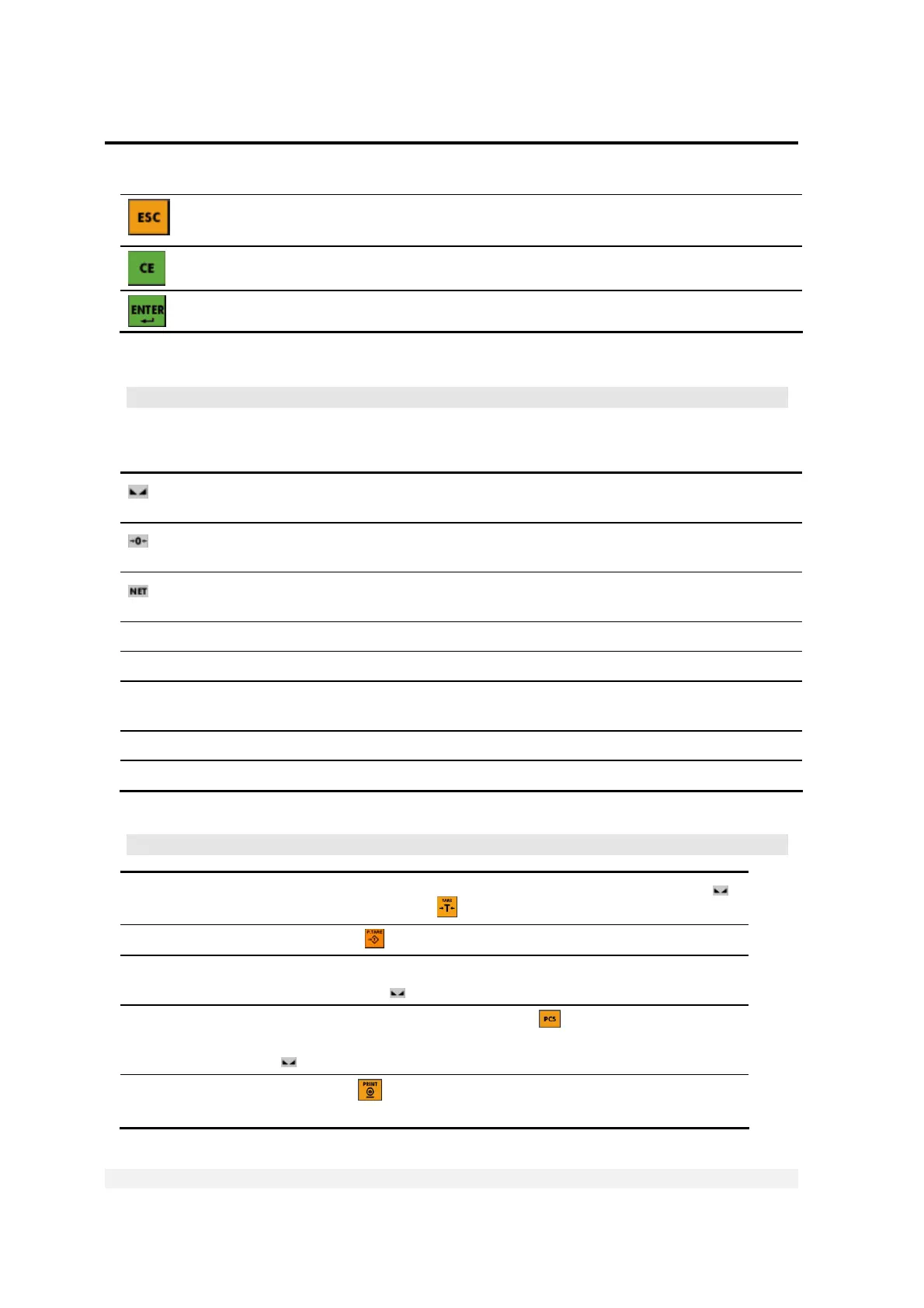
Cancels the current operation, exits a menu or exits a mode.
Clears the characters entered
Confirms the current operation or the information entered.
* If the scale is not stable, the current weight cannot be used for this operation.
Status Annunciators
At the left of the display are several icons. A dot shows up next to these to indicate
the current status of the scale or indicator.
Stable
Active – the scale is stable (necessary for ZERO, T and PRINT).
Inactive – the scale is not stable.
Center of Zero Active – the current weight is at center of zero (or at manual zero).
Inactive – the scale is above or below center of zero.
Net Weight Active – the display is showing net weight.
Inactive – the display is showing gross weight.
S1
Scale 1 Appears on the right of the display to show that the indicator is set to scale 1.
S2
Scale 2 Appears on the right of the display to show that the indicator is set to scale 2.
S0
Sum of scales Appears on the right of the display to show that the indicator is displaying the
sum of the weight on scales 1 and 2.
W1 The scale is currently in weight range 1.
W2 The scale is currently in weight range 2.
* These are not relevant if you only have one scale connected to the indicator.
Common Operations
Taring the scale Place the empty package on the scale and wait for it to become stable (
becomes active). Press T (
).
Preset tare
Press P.TARE (
). Enter a preset tare, then press ENTER.
Weighing an item Tare the scale if necessary, then move the item onto the scale. Wait for it
to become stable (
becomes active). The weight appears on the display.
Counting units by
weight
Switch to Counting Mode by pressing PCS (
). Tare the scale if
necessary, then move the item onto the scale. Wait for it to become stable
(
becomes active). The number of units appears on the display.
Printing current
weight
Press PRINT (
). If a printer is connected to the indicator, details of the
current weighing print out. The weight is also added to the total.



 To Next Page