Using the Display and Keys
Understanding the VT300 Display
VT300 User’s Guide, Rev. A4 18 Doc # UM-VT300-EN
2 Using the Display and Keys
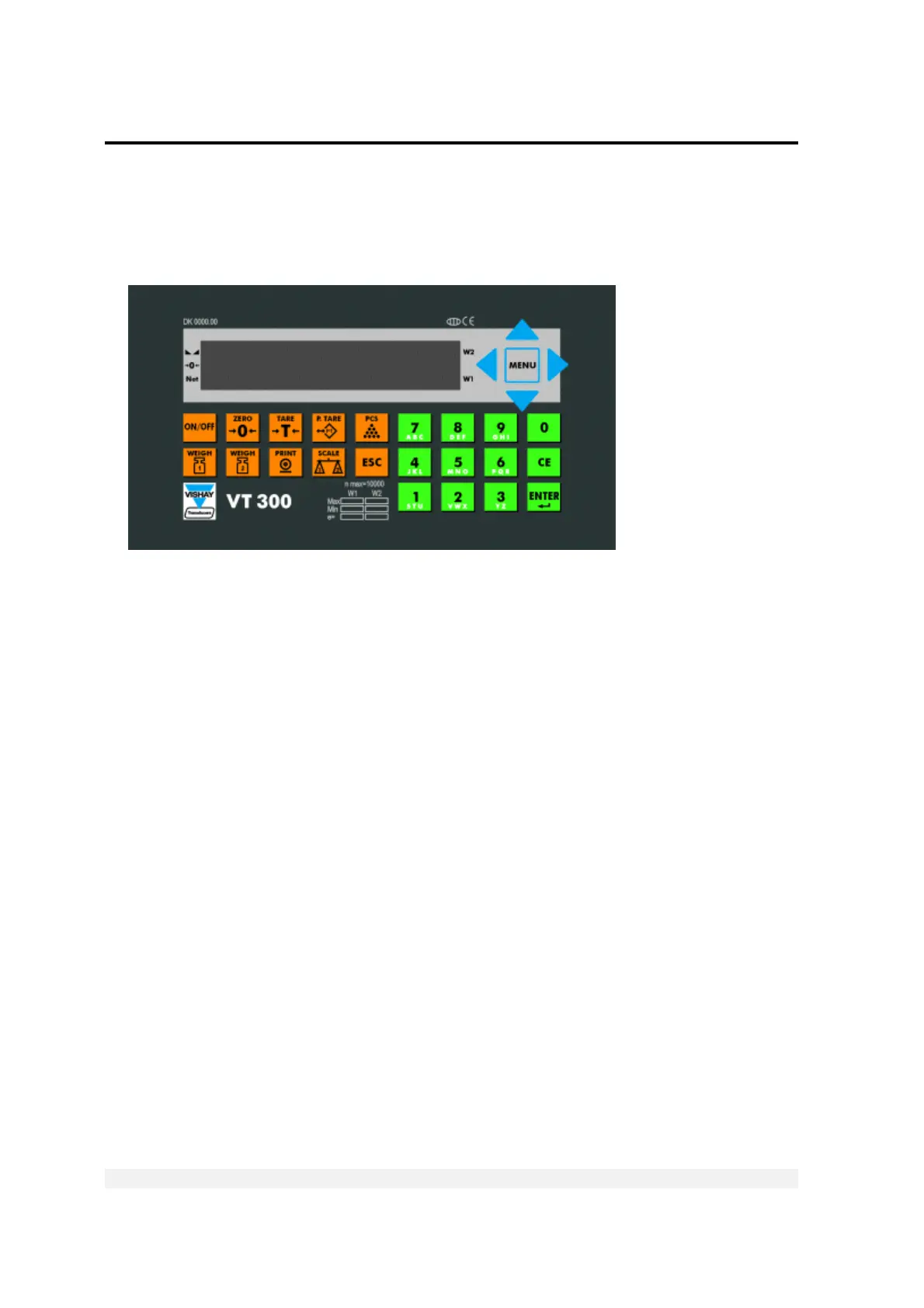
The VT300 front panel can be divided into four areas:
A sixteen-character dot matrix display shows weight information, status
information, and the names of menus and functions.
The function keypad, with ten orange keys, allows you to turn the unit on and off
and perform the most common operations.
A navigation area (to the right of the display) allows you to access and navigate
the menu, which contains more advanced operations.
An alphanumeric keypad, with 12 green keys, allows you to enter numbers and
letters.
2.1 Understanding the VT300 Display
The VT300 has an LCD display. There are three status annunciators on the left of the
display and two more on the right of the display. Small dots (status annunciators) may
appear next to one or more of these, to show status information such as whether the
scale has been tared or not.



 To Next Page