visionmetering.com
Page 7 Copyright 2015 © Vision Metering, LLC
Figure 6
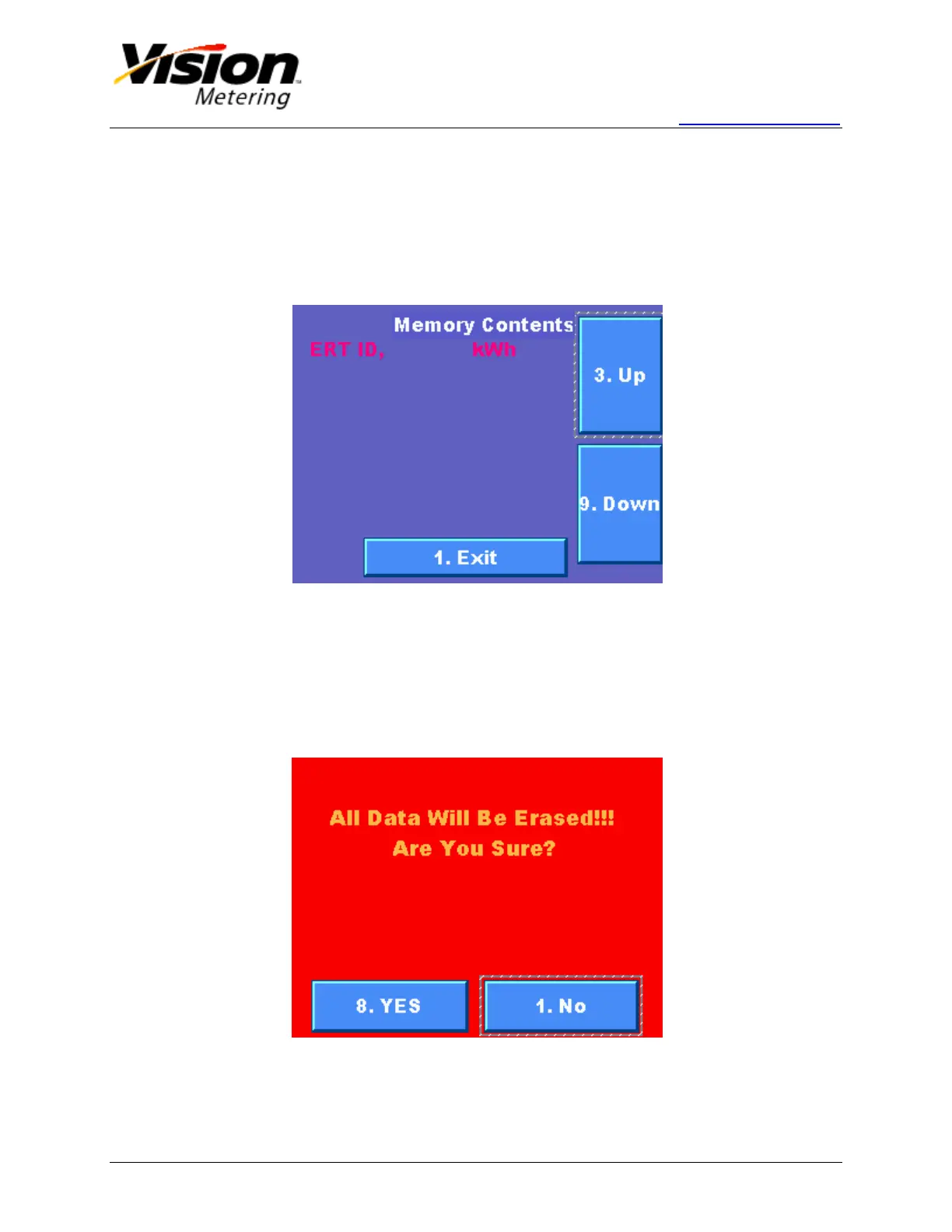
1.7 Browse Memory
From the main screen, pressing '4' on the keypad or pushing the Browse Memory button
on the display, will lead to the memory storage screen. Here, the user can navigate
through saved RF messages.
Pressing '3' or '9' on the keypad or pushing Up or Down respectively, scrolls
through the memory contents of the device.
Figure 7
1.8 Erase Memory
By pressing '5' on the keypad from the options menu or pushing the Erase Memory
button on the display, the user is directed to a red confirmation screen, verifying that the
user actually intends to erase the memory contents. This screen is pictured below in
Figure 8. It is a good practice to back up data before emptying memory.
Figure 8


 To Next Page