visionmetering.com
Page 8 Copyright 2015 © Vision Metering, LLC
1.9 Upload Memory
From the Options menu, pressing '7' or the Upload Memory button accesses the Upload
Memory screen. In this mode, the unit waits for PC to establish connection and download
saved data. Sentry 950 software is used in conjunction with device for this operation.
Connect unit to PC via USB cable.
Open Sentry 950 Collection Software.
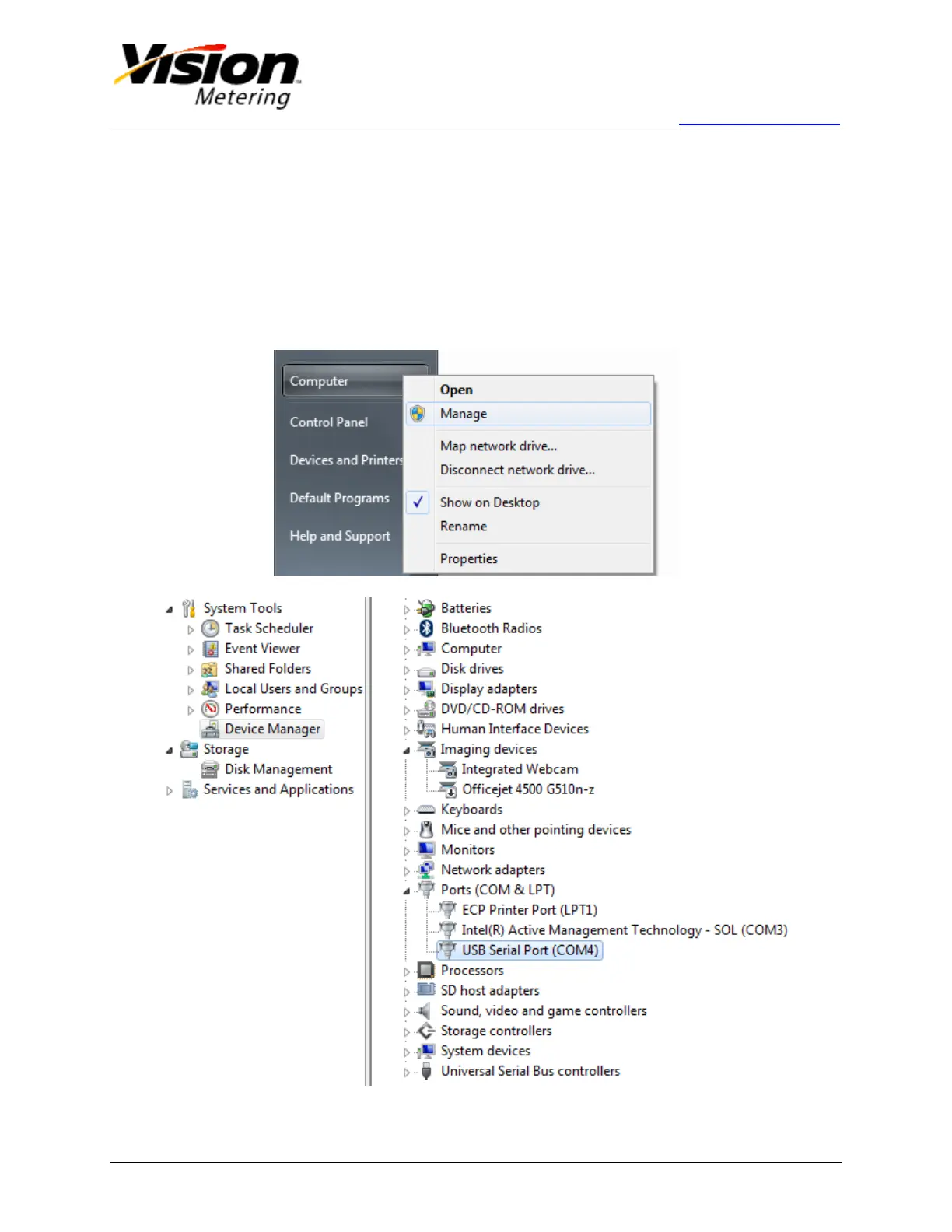
Select the COM Port that the device is plugged into. The port is located by right-
clicking on Computer from the Start Menu, selecting Manage>Device
Manager>Ports (COM & LPT), then checking the USB Serial Port COM number.
Select this COM Port number from the drop down menu of the Sentry 950
software and click 'Obtain Data.'


 To Next Page