7
SB-800P_manual_en.doc
5. POSITION WALL MOUNT EARS ON DISPLAY
6. FIX WALL MOUNT EARS TO DISPLAY
7. HANG DISPLAY IN PLACE
INPUT TYPE SELECTOR
LINE LEVEL
SB-800P has an amplifier built in. It can accept stereo line-level signal which comes out of the
headphone jack on a laptop or phone.
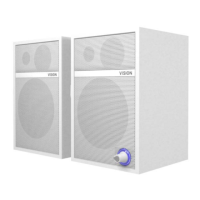
To adjust volume turn the dial on the bottom (note this product does not have a remote
control).
SPEAKER LEVEL
If flat-panel display has an amplifier built in, select SP IN to receive the more powerful speaker-
level signal. This will bypass the amplifier in the SP-800P. Generally this will use unshielded
speaker cable which is often black and red.
To adjust volume use display remote control. There is no need to run power to soundbar.
NOTE: Do not connect SPEAKER-LEVEL signal to the LINE-LEVEL inputs.


 To Next Page