EasyManua.ls Logo

Vision SP-1800PBT - User Manual

Vision SP-1800PBT
16 pages
Print Icon
To Next Page IconTo Next Page
Loading...
1
SP-1800PBT_manual_en.doc
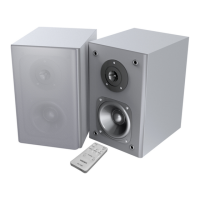
SP-1800PBT ACTIVE LOUDSPEAKERS
OWNERS MANUAL
www.visionaudiovisual.com/techaudio/sp-1800p

Questions and Answers

  • C
    Carrie RubioAug 10, 2025
    Why do my Vision SP-1800PBT have a hum or noise?
    • M
      Mr. Christopher MartinezAug 10, 2025
      If your Vision speakers are producing a hum or unwanted noise, it might be due to a poorly shielded cable introducing noise. Ensure all input cables are properly shielded. Also, verify that all source devices are connected to the same power source. If the problem stops when disconnecting a laptop from power, this confirms the issue.
  • J
    jamesfergusonAug 16, 2025
    What to do if the slave loudspeaker is quieter than the master loudspeaker on Vision SP-1800PBT Speakers?
    • T
      Timothy ThomasAug 16, 2025
      If the slave loudspeaker is quieter than the master loudspeaker, it is typically due to using the incorrect cable between them. Replace the cable immediately.
  • J
    Jordan KingAug 22, 2025
    What to do if Vision speakers have power but no sound?
    • K
      Kristen LeeAug 22, 2025
      If your Vision speakers have power but no sound, first, press the volume buttons on the master loudspeaker to increase the volume. Then, ensure the output volume on your test device is at its maximum and that the device works through its built-in loudspeakers.
  • R
    Robert ColeAug 28, 2025
    How to troubleshoot a non-working slave loudspeaker on Vision SP-1800PBT Speakers?
    • T
      Travis Davis DVMAug 28, 2025
      If the slave loudspeaker of your Vision speakers isn't working, check the speaker cable to ensure there is a proper connection at both ends.
  • S
    Sandra RomeroSep 3, 2025
    How to fix Vision speakers with no power light?
    • J
      James BennettSep 3, 2025
      If there is no power light on your Vision speakers, press the volume control. Check the power source and the power input cable. Also, check the fuse.

Vision SP-1800PBT Specifications

General IconGeneral
BrandVision
ModelSP-1800PBT
CategorySpeakers
LanguageEnglish

Related product manuals