EasyManua.ls Logo

Vision SP-1400P - User Manual

Vision SP-1400P
10 pages
Print Icon
To Next Page IconTo Next Page
Loading...
1
SP-1400P_manual_en
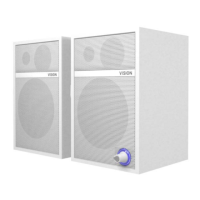
SP-1400P POWERED SPEAKERS
OWNERS MANUAL
www.visionaudiovisual.com/techaudio/sp-1400p

Questions and Answers

  • D
    david23Aug 10, 2025
    Why is there hum or noise coming from my Vision SP-1400P?
    • L
      Lisa ParkerAug 10, 2025
      Hum or noise can occur if a poor-quality cable with uneven shielding introduces noise. To resolve this, check that all input cables are shielded properly. Also, ensure all source devices are connected to the same power source. If disconnecting a laptop from power resolves the issue, then the laptop's power connection is likely the cause.
  • M
    Megan BurgessAug 16, 2025
    What to do if my Vision SP-1400P have power light on but no sound?
    • S
      Sara WatkinsAug 16, 2025
      If the power light is on but there's no sound, first, turn up the volume dial on the master loudspeaker. Next, make sure the output volume on your test device is at full and that it works through the built-in device loudspeakers.
  • D
    Derrick ChristensenAug 22, 2025
    What to do if the slave loudspeaker is quieter than the master loudspeaker on my Vision SP-1400P Speakers?
    • T
      Todd PriceAug 22, 2025
      If the slave loudspeaker is quieter than the master, this is typically due to using an incorrect cable between the master and slave loudspeakers. Replace the cable immediately.
  • L
    Laura JacksonAug 28, 2025
    How to fix a Vision SP-1400P slave loudspeaker that is not working?
    • A
      Abigail MorenoAug 28, 2025
      If the slave loudspeaker isn't working, check the speaker cable to ensure there is a proper connection at both ends.
  • S
    Samuel RobertsSep 2, 2025
    How to troubleshoot Vision SP-1400P with no power light?
    • V
      Veronica GonzalesSep 2, 2025
      If there is no power light, press the volume control. Then, check the power source and power input cable, and inspect the fuse in the power cable plug.

Summary

WARNINGS

General Safety Warnings

Essential safety precautions including avoiding opening the unit and exposure to moisture or rain.

Safety Symbol Explanations

Details the meaning of warning symbols like lightning flashes and exclamation points in the manual.

USE ONLY DOMESTIC AC OUTLETS

HANDLE THE POWER CORD WITH CARE

PLACE OF INSTALLATION

WARNING SIGNS

INSTALLATION

OPERATION

TURN ON;OFF

How to power the speakers on/off using the volume dial and standby mode.

TROUBLESHOOTING

SPECIFICATIONS

WARRANTY

Vision SP-1400P Specifications

General IconGeneral
BrandVision
ModelSP-1400P
CategorySpeakers
LanguageEnglish

Related product manuals