12
DOCKING STATION SETUP (Continued)
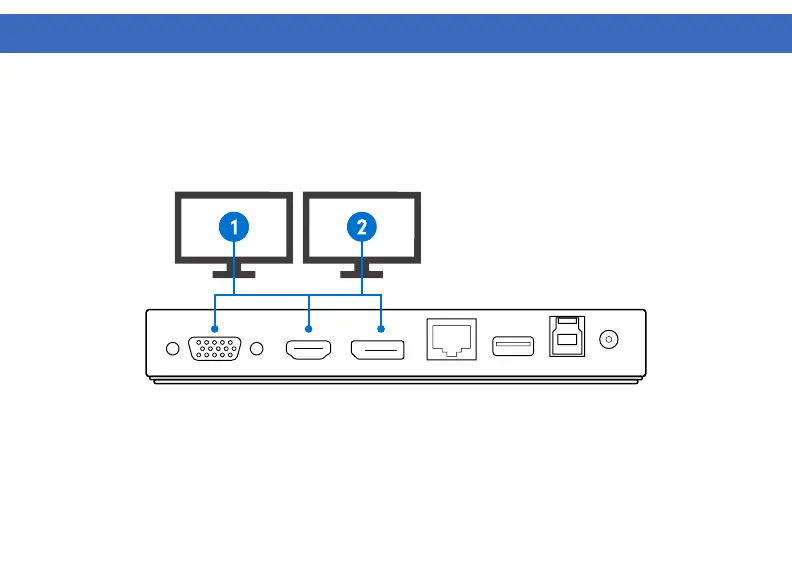
Dual Display Setup
1. Connect Display 1 to the Display 1 HDMI or VGA
2. Connect Display 2 to the Display 2 DisplayPort.
Note: For the VT1100 DisplayLink stream 1, HDMI and VGA are cloned. For 2 independent displays connect
Display 1 to HDMI or VGA and Display 2 to DisplayPort. Use only one video port per DisplayLink stream.



 To Next Page