15
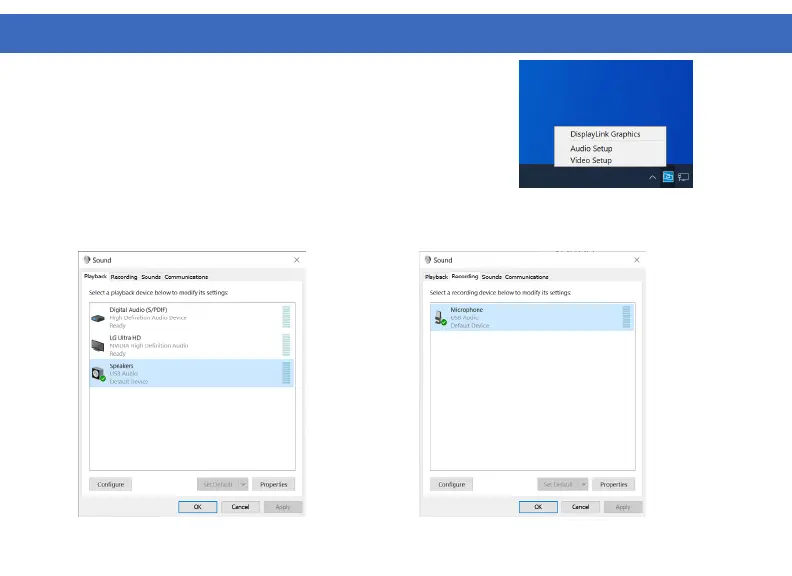
2. Under the Playback tab select
“Speakers” USB Audio, click Apply
3. Under the Recording tab select
“Microphone” USB Audio, click Apply
Windows 10 - Audio Setup
1. Click the DisplayLink “Icon” in the system tray located in the lower
right corner. To set up audio, click “Audio Setup”
WINDOWS SETUP



 To Next Page