TRUGOLF
14 15
VISTA 10/12
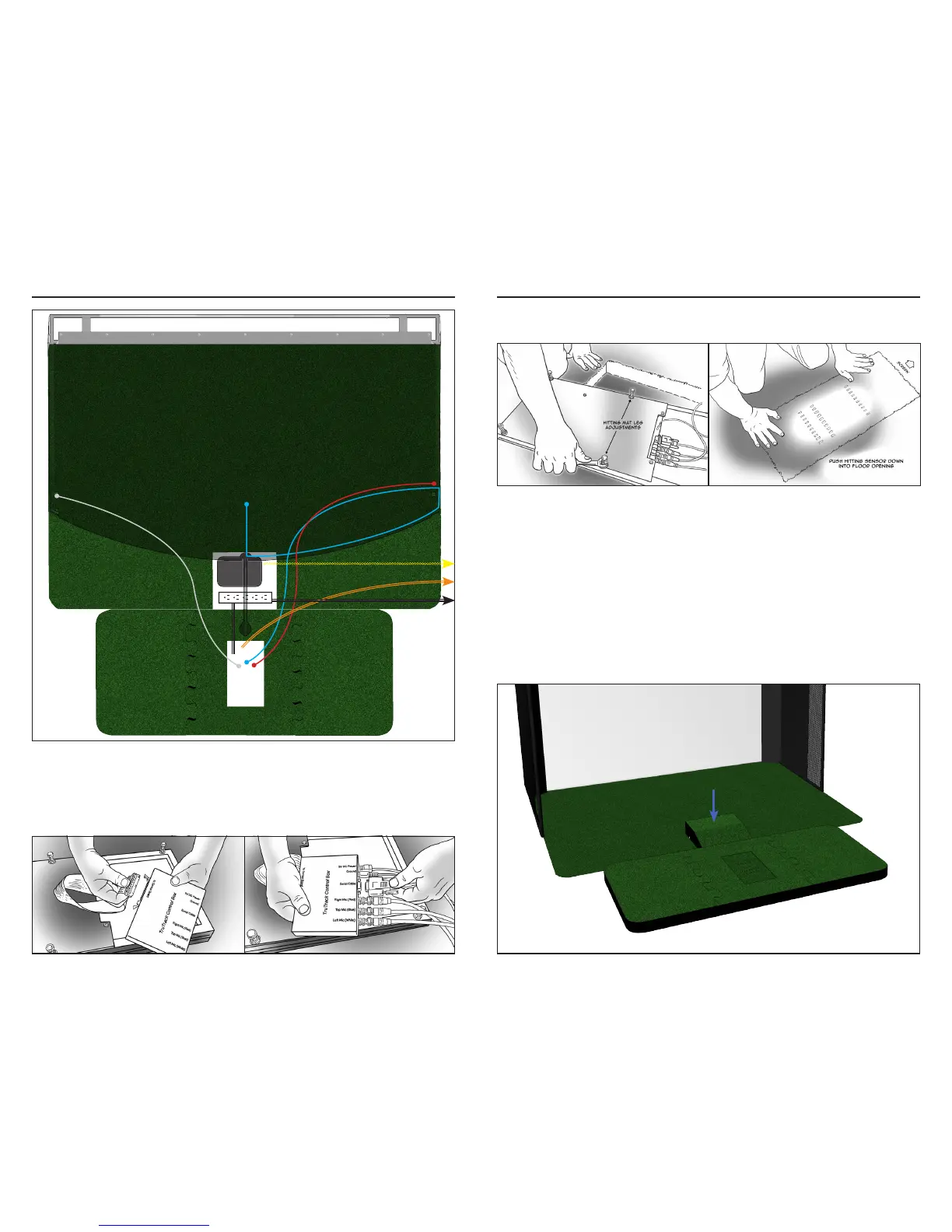
If needed, adjust the Hitting Mat legs so they are level with oor height.
Finish by pushing Hitting Mat down into the oor opening.
STEP 4 | PROJECTOR
Position PROJECTOR so that lens is centered with the screen.
Connect POWER CABLE and VIDEO CABLE to projector.
NOTE: See Projector Manual for further instructions on adjusting the image.
STEP 5 | PROJECTOR COVER
Plug COVER FANS into POWER STRIP.
Place COVER over projector.
NOTE: Do Not scratch projector lens with projector cover. TruGolf will not
replace projectors with scratched lens.
STEP 3 | HITTING MAT
Connect the RIBBON CABLE on the HITTING MAT to the TRUTRACK
CONTROL BOX.
Connect the POWER CABLE, SERIAL CABLE, and the BNC CABLES (x3) from
the microphones to the TRUTRACK CONTROL BOX.
S
e
r
i
a
l
C
a
b
l
e
Power Cable
Power
Video Cable
Projector



 To Next Page