TRUGOLF
12 13
VISTA 10/12
STEP 4 | SIDE BAFFLES
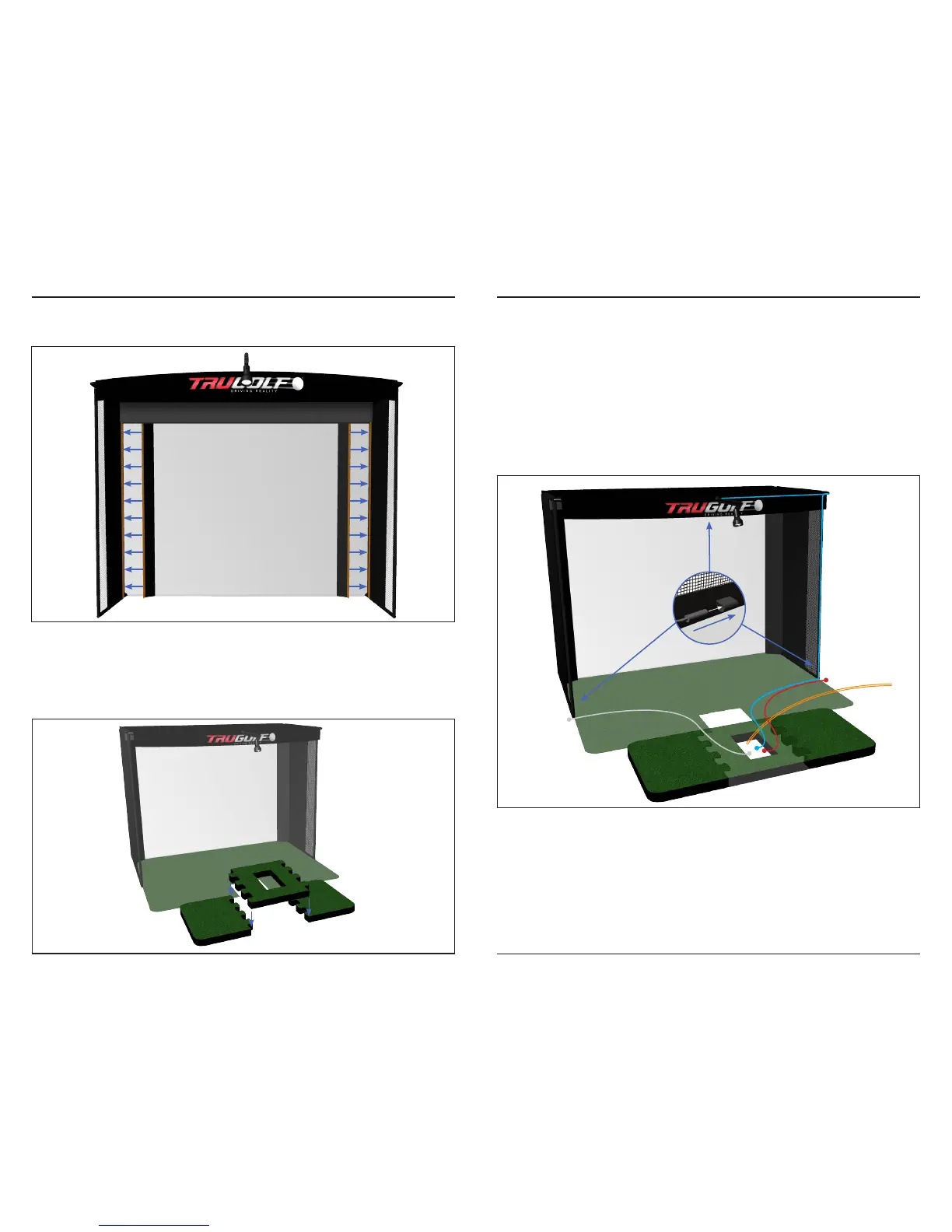
Attach the SCREEN BAFFLES to the SIDE WALLS using the integrated Velcro.
FLOOR
STEP 1 | TURF & PLATFORM
Unfold the TURF and place on the oor within the enclosure as shown below.
Assemble the raised HITTING PLATFORM and position at front edge of turf.
WIRING
STEP 1 | CABLES
First, run SERIAL CABLE and VIDEO CABLE under the TURF and HITTING
PLATFORM to the center cutout. (SERIAL CABLE will be connected to the
COMPUTER later.)
Next, run the LEFT (25ft), RIGHT (25ft), & TOP (50ft) BNC MICROPHONE
CABLES to the center cutout in the raised HITTING PLATFORM.
NOTE: Minimum 18 inches of slack on all cables connecting to the TruTrack
Hitting Mat.
STEP 2 | MICROPHONES
Connect MICROPHONE to by twisting connections & place through hole
and into sleeve with microphone pointing towards the screen.
NOTE: An extra (1) microphone is included as a spare.
SCREEN
Serial Cable
Place the provided non-slip pad
under the hitting platform.



 To Next Page