INSTALLATION
4 CHAPTER 1
1.3 PUTTING IN POSITION
After the machine is placed on its location, the next steps should be followed.
1.3.1 MULTIFLUX AND ROBOT
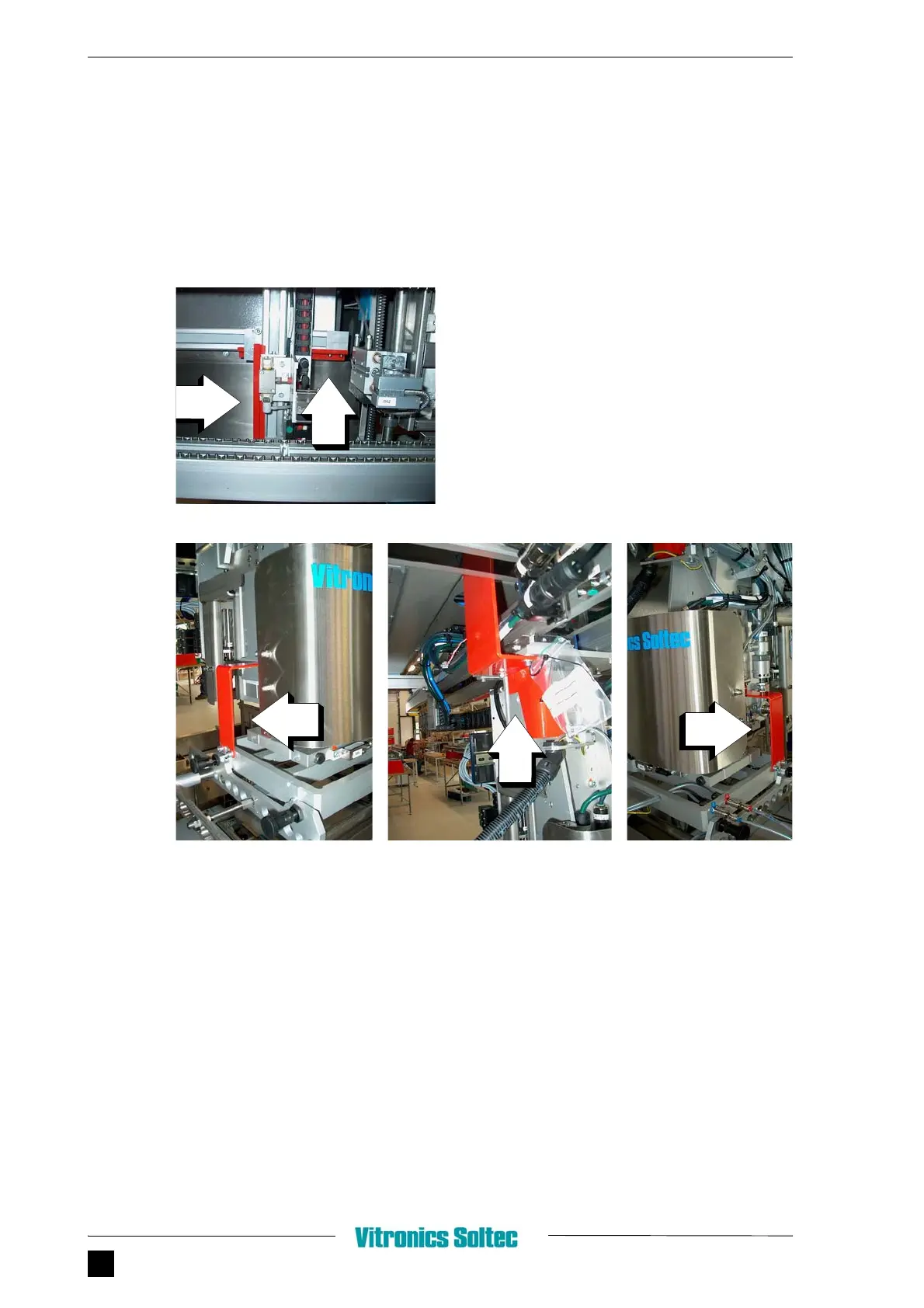
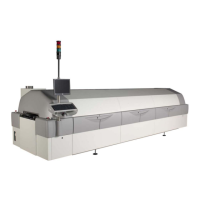
FIGURE 1.5 REMOVAL OF TRANSPORT PROTECTIONS
MultiFlux
1. Remove red Transport strips at MultiFlux unit
Robot
1. Remove red Transportstrips at Robot unit.
2. After removing the transport strips, use
mounting materials in plastic bag, to replace the
bolts used for transport strips.


 To Next Page