EasyManua.ls Logo

Vivax TV-55UHD121T2S2SM - User Manual

Vivax TV-55UHD121T2S2SM
288 pages
Go to English
Print Icon
To Next Page IconTo Next Page
Loading...
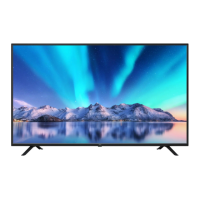
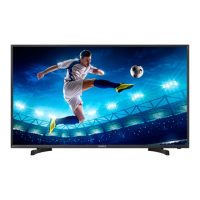
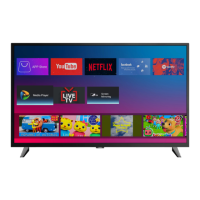
LED TV-55UHD121T2S2SM
LED TV-65UHD121T2S2SM
И005 19
HR
Upute za uporabu
Jamstveni list / Servisna mjesta
BIH
.RULVQLþNRXSXWVWYR
Garantni list / Servisna mjesta
SR
.RULVQLþNRXSXWVWYR
Garantni list / Servisna mesta
CG
.RULVQLþNRXSXWVWYR
Garantni list / Servisna mjesta
MAK
ɍɩɚɬɫɬɜɚɡɚɭɩɨɬɪɟɛɚ
Гарантен лист / Цервисни места
AL
Udhëzime për shfrytëzim
Fletë garancioni / Qendrat e servisimit
EN
Instruction Manuals
HIGH-DEFINITION MULTIMEDIA INTERFACE

Table of Contents

Questions and Answers

  • A
    Alexander LeeAug 13, 2025
    What to do if my Vivax TV-55UHD121T2S2SM has no sound or picture?
    • K
      kgrayAug 13, 2025
      If your Vivax LED TV has no sound or picture, ensure the power cord is properly plugged into a working AC outlet and the power switch on the bottom right edge of the front panel is turned on. Also, press the power button on the remote to take the unit out of Standby mode. Check if the LED light is red or blue, indicating the TV is receiving power.
  • A
    Alice HooverAug 17, 2025
    How to fix a Vivax LED TV remote control that is not working?
    • J
      Joe RobinsonAug 17, 2025
      If your Vivax LED TV remote control isn't working, first, make sure the TV is still receiving power and is operational. Then, replace the batteries in the remote. Finally, check that the batteries are installed correctly.
  • D
    Daniel RojasAug 20, 2025
    What to do if external source has no picture or sound on Vivax LED TV?
    • T
      Troy EstradaAug 20, 2025
      If you're not getting picture or sound from an external source connected to your Vivax LED TV, verify the output connection on the external source and the input connection on the TV are correct. Also, ensure you've selected the correct input mode for the incoming signal on your TV.
  • N
    Nathan YoungAug 25, 2025
    Why is there no sound on my Vivax LED TV but the picture is normal?
    • J
      John SanchezAug 25, 2025
      If your Vivax LED TV has a normal picture but no sound, check the volume settings to ensure they are not set too low. Also, check if the Mute mode is turned on; if so, turn it off.
  • D
    Dakota SmithAug 27, 2025
    How to fix sound but no picture on Vivax LED TV?
    • R
      Russell PalmerAug 28, 2025
      If your Vivax LED TV has sound but no picture, or if the picture is black and white, first unplug the TV from the AC outlet and plug it back in after 60 seconds. If the picture is black and white, check that the Colour setting is set to 50 or higher. You may also try different TV channels.
  • J
    Jerome HamiltonSep 1, 2025
    Why is the sound and picture distorted on my Vivax LED TV?
    • S
      Steven PrestonSep 1, 2025
      If the sound and picture on your Vivax LED TV are distorted or appear wavy, an electrical appliance might be interfering with the TV. Try turning off nearby appliances; if the interference stops, move the appliance further away from the TV. You can also try plugging the TV into a different power outlet.
  • B
    Brian JacksonSep 4, 2025
    What causes blurry sound and picture on Vivax LED TV?
    • J
      Jesus OrtizSep 4, 2025
      If the sound and picture on your Vivax LED TV are blurry or cutting out momentarily, and you're using an external antenna, check the antenna's direction, position, and connection. You might need to adjust the antenna's direction or reset/fine-tune the channel.
  • B
    Brian ZavalaSep 8, 2025
    What causes horizontal stripes on my Vivax TV-55UHD121T2S2SM picture?
    • M
      Michelle PrattSep 8, 2025
      If you see horizontal or vertical stripes on the picture of your Vivax LED TV, or if the picture is shaking, check for any nearby sources of interference, such as an appliance or electric tool.

Summary

WELCOME

The Accessories

Lists essential items included in the box for setup and use.

IMPORTANT SAFETY INSTRUCTIONS

General Safety Guidelines

Covers reading instructions, warnings, cleaning, attachments, water, and placement.

Operational & Environmental Safety

Details ventilation, power source, grounding, lightning, and cable safety.

Usage Hazards and Servicing Safety

Addresses overloading, object/liquid entry, antenna grounding, and servicing.

Component, Heat, and Audio Safety

Focuses on replacement parts, heat sources, and earphone usage.

Power Cord and Installation Safety

Details safety for power cords and installation of non-floor standing TVs.

User Restrictions and TV Placement

Covers appliance use restrictions, LED panel care, and TV positioning.

Installation Guide

Stand Installation

Provides instructions for attaching the TV stand securely using screws.

Wall Mount Installation

Details requirements and specifications for mounting the TV on a wall.

TV Front Panel Overview

IR Sensor and Indicator Details

Describes the function of the IR remote sensor and the remote indicator LED.

Control Panel & Connections

Control Panel Functions

Explains the functions of the TV's physical control buttons.

Antenna and Power Connection

Guides on connecting the antenna cable and power plug to the TV.

TV Rear Panel Overview

Port Identification

Illustrates and labels all the ports available on the rear of the TV.

External Device Connections

Antenna, Satellite, HDMI, and USB Connections

Instructions for connecting various external devices like antennas, HDMI, USB, etc.

VGA, PC Audio, CI, Coax, and Headphone Connections

Guides for connecting VGA, PC audio, CI interface, coax audio, and headphones.

Component and Composite AV Connections

Instructions for connecting component video and composite AV sources.

RJ45 LAN Network Connection

Details how to connect the TV to a wired network using an Ethernet cable.

Remote Controller Guide

Button Functions Overview

Details the purpose and operation of each button on the remote control.

Battery Installation & Operation Range

Instructions for inserting batteries and the remote's optimal operating range.

Connection Instructions

Connecting Aerial & HDMI Devices

Guides for connecting antennas, HDMI, component, and external A/V devices.

Connecting Computer, USB, Audio, Headphones

Instructions for connecting computers, USB devices, audio systems, and headphones.

Using the Remote Control

Basic Operations

Covers turning TV on/off, selecting input, adjusting volume, and changing channels.

Advanced Settings & Features

Guides on sound, picture, aspect ratio, sleep timer, audio, channel list, and EPG.

Basic Features Setup

Initial Setup Wizard and Network Configuration

Guides through language, timezone, network setup, and location modes.

StartTV - Antenna Tuning

Digital Antenna Tuning Process

Explains country selection, auto scan, manual tuning, and channel editing.

Start Launcher - Smart TV Mode

Smart TV Interface & App Usage

Introduces the Smart TV home screen, app store, and available applications.

Main Menu TV Operation

Input Source Selection

How to choose the desired input source for connected devices.

Menu Navigation and Adjustment

Navigating the OSD menu for picture, sound, channel, and setup options.

Picture Setup Options

Picture Mode and Adjustments

Guides on selecting picture modes and adjusting contrast, brightness, color, sharpness.

DNR, Aspect Ratio, and Sound Setup

Covers noise reduction, aspect ratio, sound modes, balance, and AVL settings.

Channel Setup and Management

Tuning, Scanning, and Editing

Details auto scan, manual tuning, and channel editing procedures.

Channel Editing & Common Interface

Explains how to edit channels, lock them, and use the Common Interface (CI).

DTV Settings

Covers subtitle language, type, audio type, and LCN settings for digital TV.

Function Settings

Teletext, System Lock, Parental Controls

Guides on teletext language, system lock, and parental control settings.

Auto Power Down & Recording Features

Covers auto power down, recording menu, and CEC device control.

Setup Menu Options

Explains OSD timer, sleep timer, screen sticker, location, and quick setup.

Smart TV Settings

Location & Quick Setup

Guides on choosing Home/Store mode and performing a quick TV setup.

Network & Time Settings

Instructions for connecting to wired/wireless networks and configuring time settings.

Common & About TV Settings

Covers language, app management, OTA updates, system recovery, and TV info.

USB Media Operations

Media Player Usage

Guides on using the media player for photos, music, and videos.

Media Navigation & Troubleshooting

Covers media navigation and basic troubleshooting steps for TV issues.

Playable Format List

Supported Media Formats

Lists supported video, audio, and photo file formats and their specifications.

Technical Specifications

TV Model Specifications

Details physical dimensions, weight, power, and environmental operating conditions.

Disposal and Compliance Information

Waste Equipment Disposal & Battery Handling

Guidelines for proper disposal of electronics, batteries, and EU conformity.

Vivax TV-55UHD121T2S2SM Specifications

General IconGeneral
Screen Size55 inches
Display TypeLED
Smart TVYes
HDMI Ports3
USB Ports2
Wi-FiYes
EthernetYes
Operating SystemAndroid
BluetoothYes
Sound Output20W
Refresh Rate60 Hz
Resolution3840 x 2160
TunerDVB-T2/S2/C

Related product manuals