EasyManua.ls Logo

Vivax 49LE78T2S2 - User Manual

Vivax 49LE78T2S2
296 pages
Go to English
Print Icon
To Next Page IconTo Next Page
Loading...
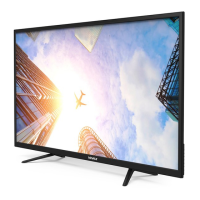
LED TV-49LE78T2S2
И005 18
HR
Upute za uporabu
Jamstveni list / Servisna mjesta
BIH
.RULVQLþNRXSXWVWYR
Garantni list / Servisna mjesta
SR
.RULVQLþNRXSXWVWYR
Garantni list / Servisna mesta
CG
.RULVQLþNRXSXWVWYR
Garantni list / Servisna mjesta
MAK
ɍɩɚɬɫɬɜɚɡɚɭɩɨɬɪɟɛɚ
Гарантен лист / Цервисни места
AL
Udhëzime për shfrytëzim
Fletë garancioni / Qendrat e servisimit
EN
Instruction Manuals

Table of Contents

Questions and Answers

  • P
    Pamela PollardAug 2, 2025
    Why Vivax LED TV has no sound or picture?
    • C
      Cameron WatsonAug 2, 2025
      If your Vivax LED TV has no sound or picture, please check the following: Ensure the power cord is properly plugged into a working AC outlet. Verify that the power switch on the bottom right edge of the front panel is turned on. Press the power button on the remote to activate the TV from standby mode. Also, check if the LED light is illuminated in either red or blue, indicating that the TV is receiving power.
  • M
    marshallaustinAug 5, 2025
    What to do if Vivax 49LE78T2S2 sound and picture distorted?
    • B
      Brittney MillerAug 6, 2025
      If the sound and picture on your Vivax LED TV are distorted or appear wavy, it could be due to interference from another electrical appliance. Try turning off any nearby appliances. If the interference stops, move the appliance further away from the TV. You can also try plugging the TV's power cord into a different power outlet.
  • V
    Victor WileyAug 11, 2025
    What to do if Vivax 49LE78T2S2 LED TV remote control does not work?
    • T
      Timothy RojasAug 11, 2025
      If the remote control for your Vivax LED TV isn't working, first confirm that the TV is still receiving power and is operational. Then, try changing the batteries in the remote control, making sure they are correctly installed.
  • G
    George JonesAug 15, 2025
    Why is there sound but no picture on my Vivax LED TV?
    • R
      Ronald GilbertAug 15, 2025
      If you're getting sound but no picture, or a black and white picture on your Vivax LED TV, try these steps: First, unplug the TV from the AC outlet and plug it back in after 60 seconds. Also, check that the Colour setting is set to 50 or higher. Finally, try changing to different TV channels.
  • L
    lisa73Aug 19, 2025
    What to do if Vivax 49LE78T2S2 picture is normal, but no sound?
    • J
      Jeffery ClarkAug 19, 2025
      If the picture on your Vivax LED TV is normal but there is no sound, check the volume settings and make sure that Mute mode is not turned on.
  • L
    Lorraine JohnsonAug 23, 2025
    What to do if Vivax LED TV has horizontal stripe on picture?
    • F
      Felicia RodriguezAug 23, 2025
      If you see horizontal or vertical stripes on the picture, or if the picture is shaking on your Vivax LED TV, check if there's an interfering source nearby, such as an appliance or electric tool.
  • S
    Stephen MendozaAug 27, 2025
    What to do if I have connected an external source to my Vivax 49LE78T2S2 and I get no picture and/or sound?
    • K
      Kristin AndersenAug 27, 2025
      If you've connected an external source to your Vivax LED TV and are getting no picture and/or sound, check that the output connection on the external source and the input connection on the TV are correct. Also, ensure that you've selected the correct input mode for the incoming signal.

Vivax 49LE78T2S2 Specifications

General IconGeneral
BrandVivax
Model49LE78T2S2
CategoryLED TV
LanguageEnglish

Related product manuals