3 User Controls/Connections
Page 11 of 33
3.1.3.5 Action Required Alert
The action required alert will trigger if the planned maintenance period or rental
period is exceeded or if a data upload is overdue, or if self-test/calibration test is
overdue or failed. Configuration of these warnings/alerts are done through the
MyvScan configuration software.
Warnings
If configured in MyvScan, the startup screen will indicate the number of days to next service. Other warnings
will be displayed during start up if configured in MyvScan.
These warning icons will continue to be displayed until the relevant action is taken.
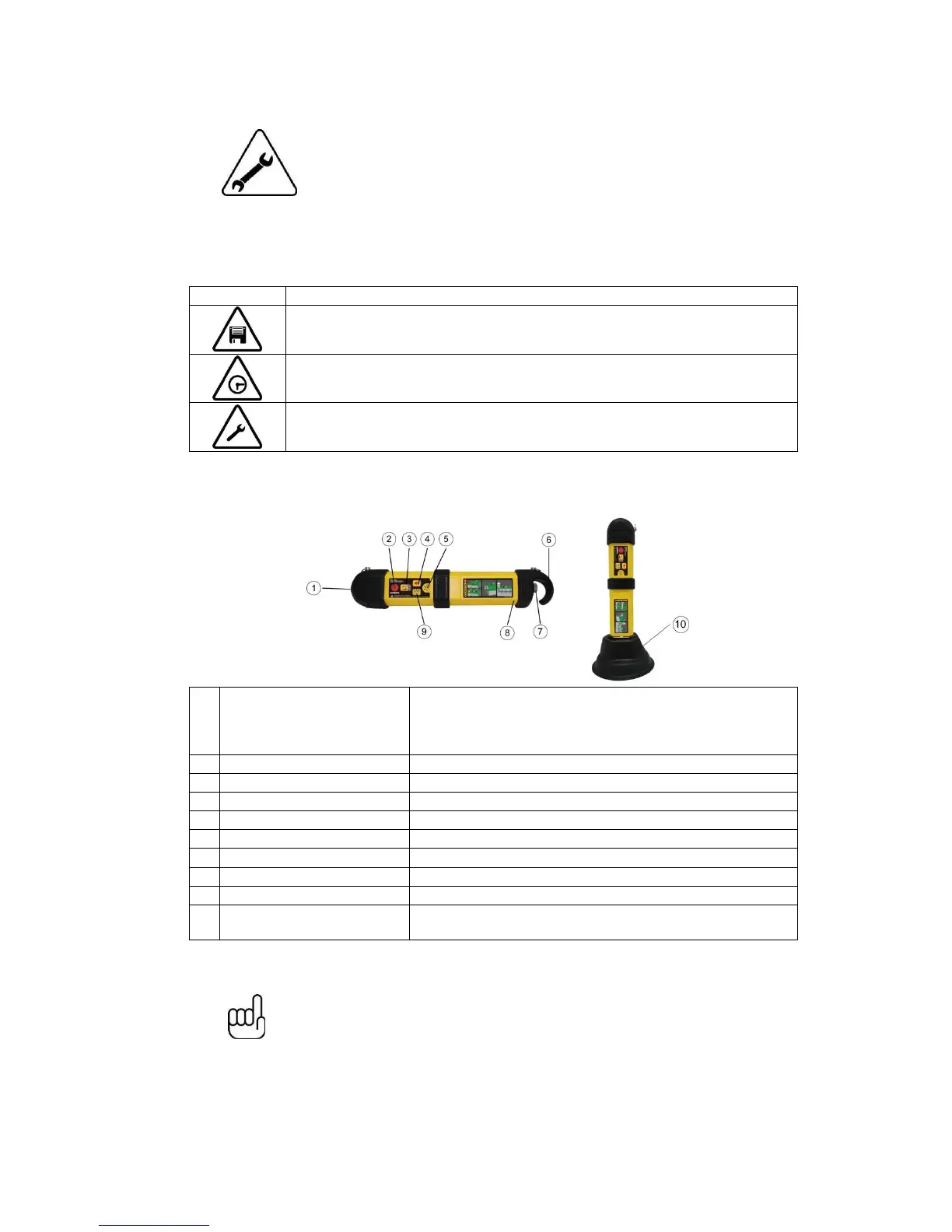
3.2 Transmitter
Automatically selects direct connection or signal clamp, when
connected. Always ensure weather proof bung is replaced when
not in use. If the connection socket is not being used, induction
mode is selected automatically.
Long press to switch on. Long press to switch off.
Press to change from battery save to high signal output.
Speaker volume pushbutton
Battery cover retaining screw
Pulse/Continuous pushbutton
Switch signal to pulse when in high noise environments.
Use to stand transmitter vertically when inducing over a wider area
or nulling the signal over an unwanted cable/pipe.
NOTE
When using alkaline batteries, a black molded hook at the end of the transmitter
is used to retain and connect alkaline batteries. If using the custom Lithium-ion
rechargeable battery pack, the hook is built into the battery pack. All
transmitters are supplied with the hook for the alkaline batteries even if
rechargeable batteries are specified. This ensures that alkaline batteries can be
used in the event the rechargeable batteries are fully discharged.


 To Next Page