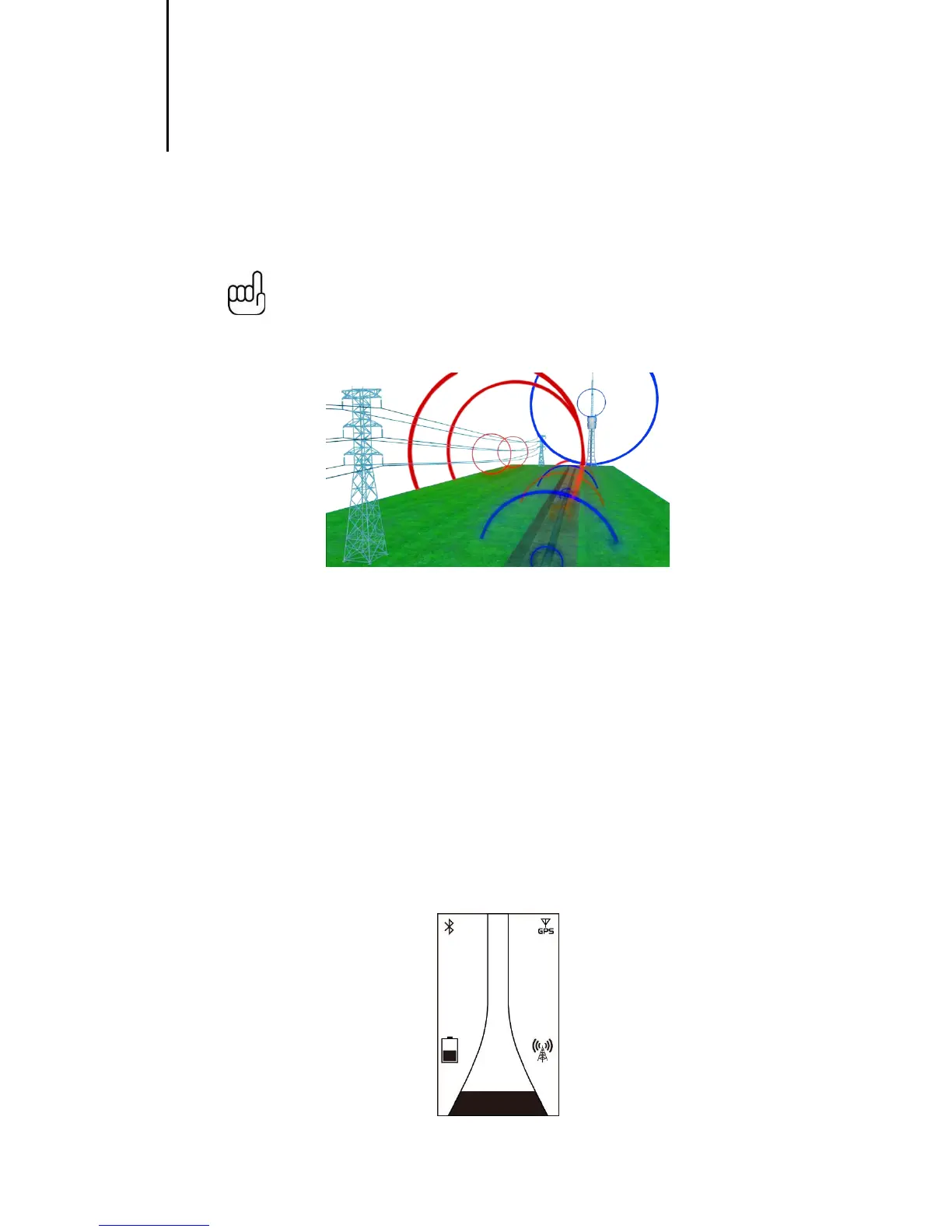
Passive locating refers to the process of detecting signals that “naturally” occur on pipes and cables. These
tend to fall into two categories, Radio signals and Power signals.
Radio Signals are created by low frequency radio transmitters. These are used for broadcasting and
communications. They are positioned throughout the world. As the frequencies are very low the signals tend
to penetrate and hug the curvature of the earth. When the signals cross a long conductor such as a pipe or
cable, the signals are re-radiated. It is these re-radiated signals that can be detected by the Radio Mode.
Power Signals are created by mains power running in the supply cables. These signals are 50 or 60Hz
depending on country. For instance the UK is 50Hz power but in the USA has 60Hz. When electrical power is
distributed throughout the network, some of the power finds its way back to the power station via the ground.
These stray currents can jump onto pipes and cables and also create power signals. Note that there has to
be electrical current flowing to create a detectable signal. So, for instance a live cable that is not in use may
not radiate a detectable signal. Also a very well balanced cable, ie exactly the same current flowing in Live
and Neutral, will cancel out and may not create a signal. In practice this is unusual as there is usually enough
imbalances in the cable to create a good detectable signal.
4.1.1 Detecting Radio Signals
1. Switch on the vScan Receiver and select Radio mode using the mode paddle.
2. Hold the vScan vertically and away from likely positions of cables or pipes.
3. Adjust the sensitivity control so that the bar graph reading is just starting to show some movement. The
sensitivity control should be at or close to maximum sensitivity. Note that the compass feature is not
available for the Power or Radio modes.


 To Next Page