4 Locating
Page 21 of 33
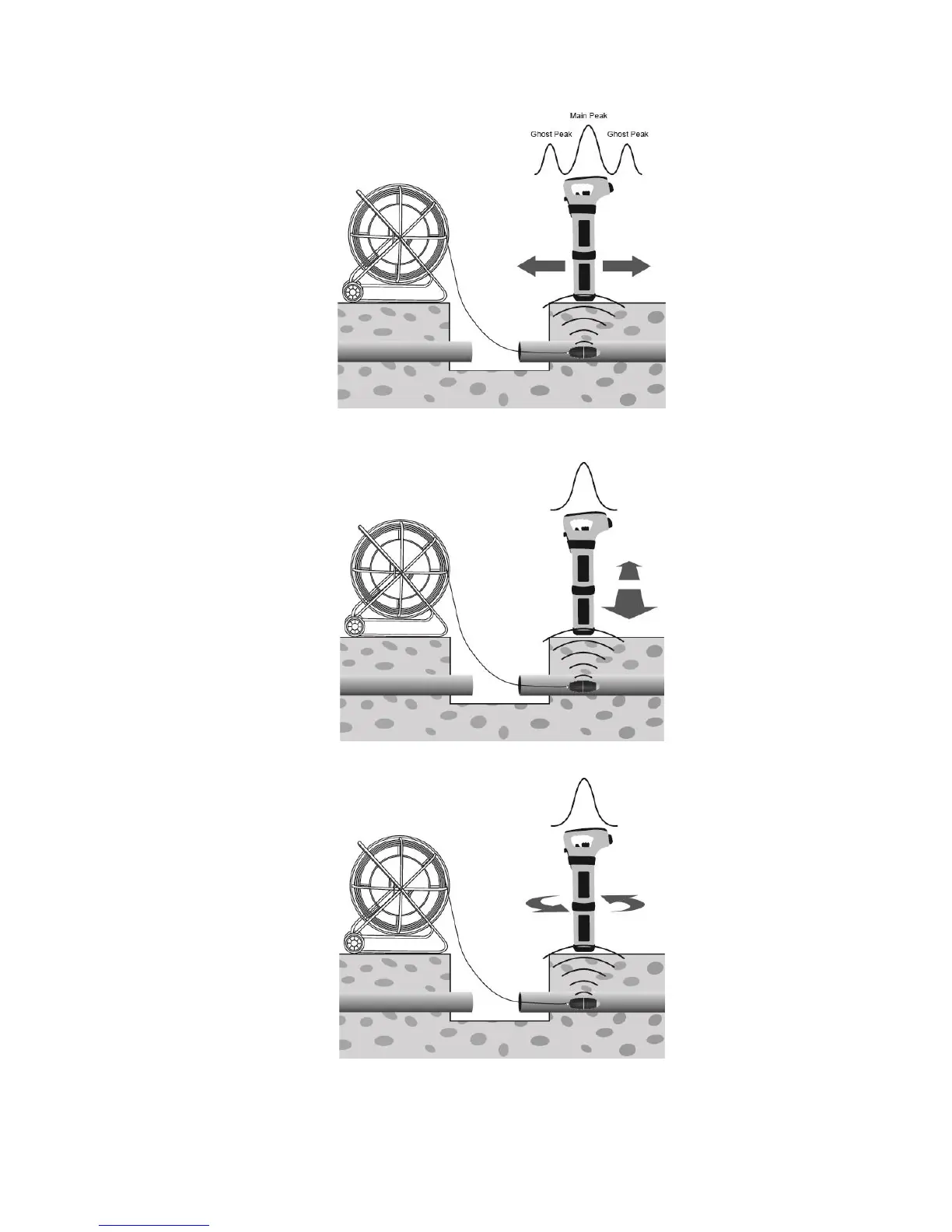
5. Now sweep left and right over the Sonde to obtain a second peak. Note that there are no ghost signals
when sweeping left to right over the Sonde.
6. Finally check that the vScan is in line with the Sonde by rotating it on its axis to obtain a peak signal. The
vScan is now over the Sonde and in line with it.
7. If a depth estimation is required, place the vScan on the ground having pinpointed the Sonde as above.
Momentarily press the “i” button and the depth will be displayed. To exit the depth screen, either wait for


 To Next Page